Category Archives: Gaming

Mobile Games primarily, but some PC games may be shown.

Swagbucks: Sword x Staff

Reaching level 100 in Sword x Staff within 30 days is entirely possible with an optimized daily routine.

Because the game heavily utilizes idle AFK progression, careful resource management from Day 1 will allow you to keep pace with spending players without dropping any cash.

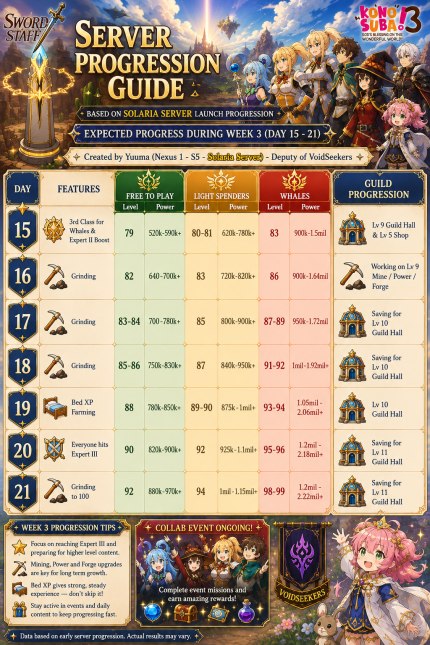
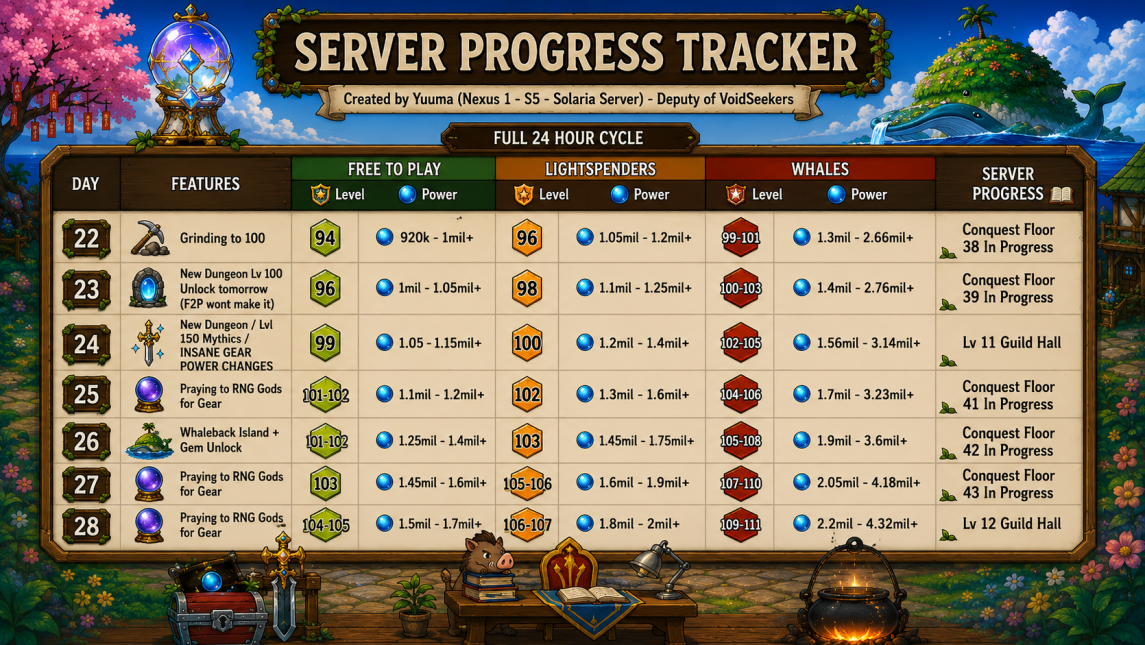
See the Visual Leveling Chart for expected daily progression. You should be able to do it in 25 days at the earliest and 29 days at the latest.


Table of Contents
  1. Offer Terms
    1. Offer Guide
      1. Daily Priority Tasks
      2. Progression and Resource Management
        1. Strategy
        2. Super Critical Steps for F2P
    2. General Game Knowledge
      1. Character Customization
        1. Selecting a Class
      2. Player Profile
        1. Other Players
      3. Guild Hall
        1. Guild Structures
          1. Guild Lobby
          2. Territory Panel
          3. Other Guild Structures
      4. Fantomon Pets
      5. Gacha System
        1. Prayer
        2. Aeonic Gacha
      6. Vendor Booth
      7. Destiny Fruit Tree
      8. Commercium
      9. Journal
        1. Daily Dungeon
        2. Map Exploration
          1. Resource Hunt
          2. Destiny Fruits
      10. World Map
      11. Commissions
      12. Gear and Skills

Offer Terms

Earn up to $84.35, on 10 goals in 30 days.

Offer Guide

Daily Priority Tasks

Commissions First: Once you have unlocked daily commissions at level 30, do them all before doing other tasks in game.

  • Stamina Utilization: Never let your stamina cap (unlikely in early game). Picking up resources or fighting mobs on the world map costs 5 stamina each. We do this to upgrade our gear.

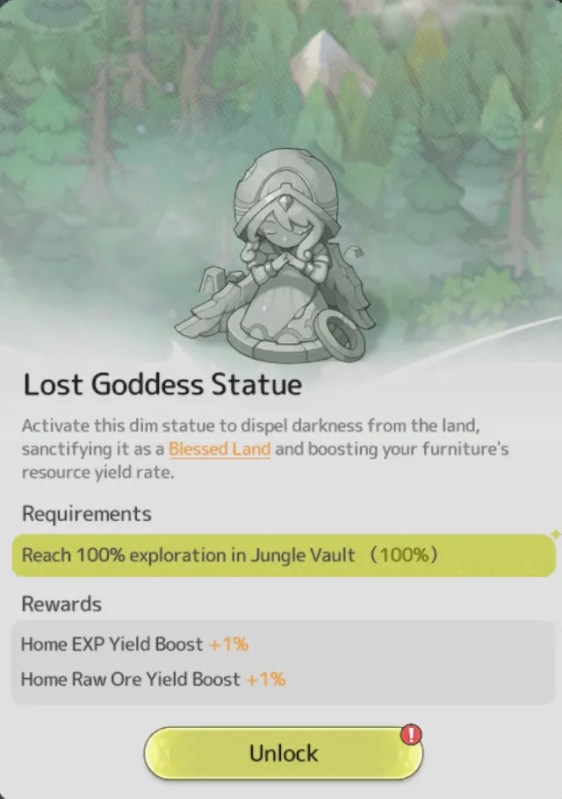
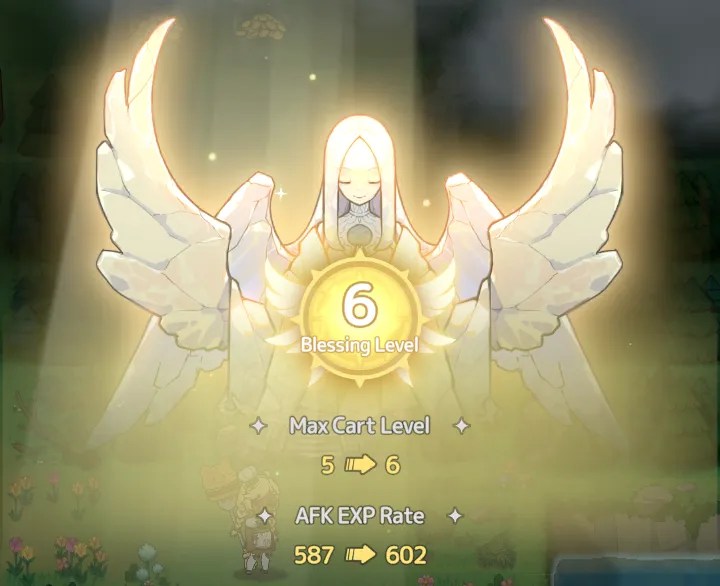
Zone Exploration: Push map boundaries in newer regions constantly, as uncovering zones provides permanent passive stacking percentage gains to your overall progress (Angel/Goddess Statues).
For tips on how to get the AFK resting and daily commission routine just right:

BEST tips to power up FAST in Sword x Staff

Progression and Resource Management

  • Upgrade Evenly: Balance your gear, skill levels, and Fantomon pets concurrently rather than over-investing in a single category. When upgrading skills, it is the Slot that gets the upgrade; not the skill. So you can freely swap skills without losing progress.
  • Join an Active Guild: Early guild hall access grants crucial group rewards, passive buffs, and cooperative boosts that significantly cut down time-to-level.

Multiplayer: The game makes heavy use of group battles and dungeons.
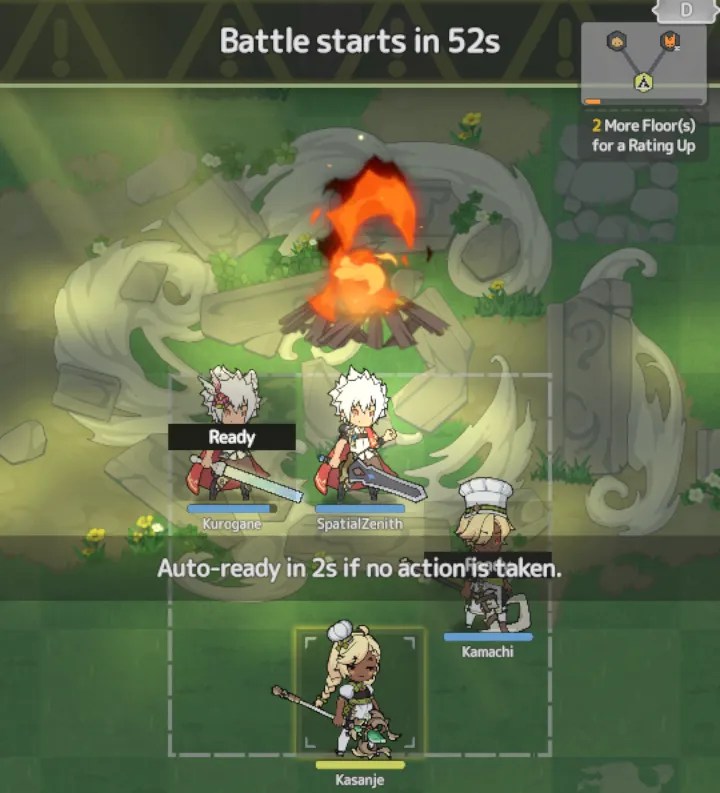
  • Add active players to your friends list and keep an eye on the chat log for party invites. Sharing the location of a mining node or a boss monster spawn will earn you Affection Tokens for participation.
Strategy

You must balance active zone exploration on the map locations, strict stamina management, and maximizing your idle AFK resting experience (bed).
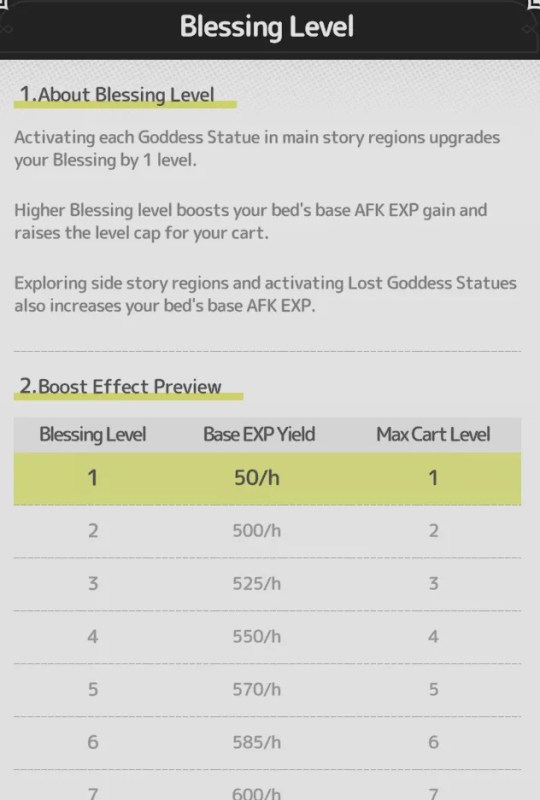
Angel statues will boost your bed’s exp multiplier.

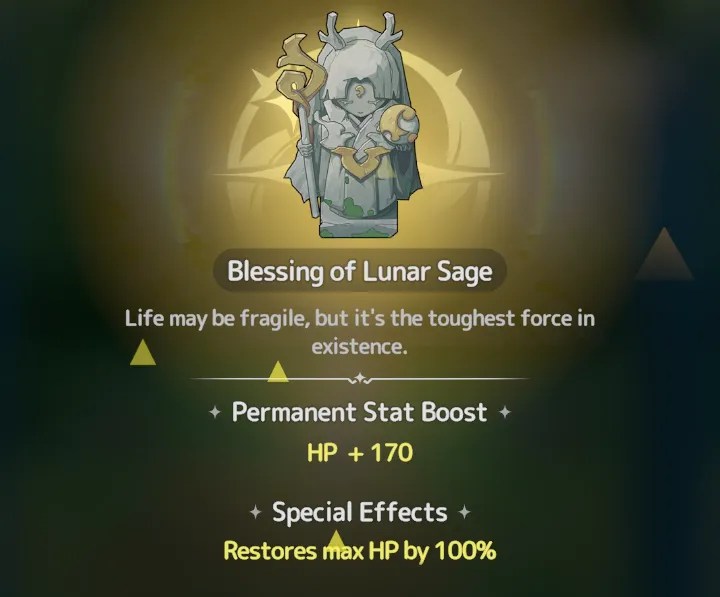
Lunar Sage statues give a permanent boost to HP.
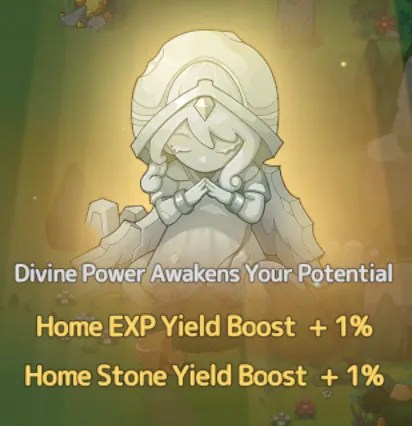
Your idle reward cart accumulates resources and materials over time. Prioritize upgrades to the cart for items that can be used to boost your Skill and Gear.

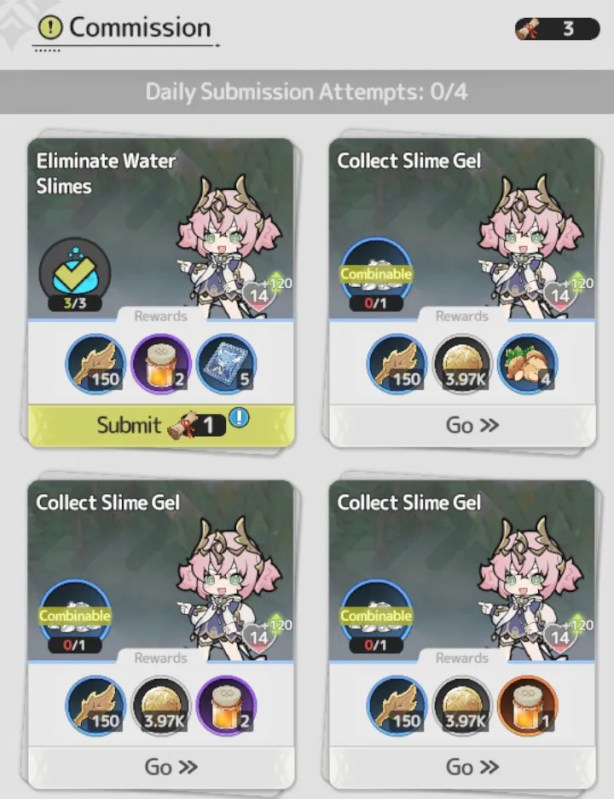
After you unlock Commissions (Level 35?), always clear your daily commissions completely before working on map exploration. You can use Quest Scrolls purchased from Shops to complete additional commissions each day.
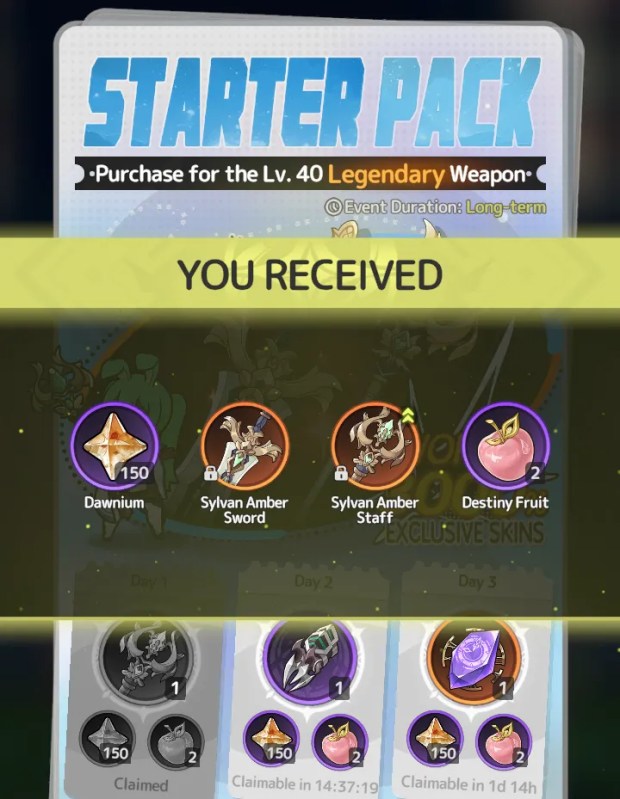
I reached level 20 on the first day and level 30 the second day.

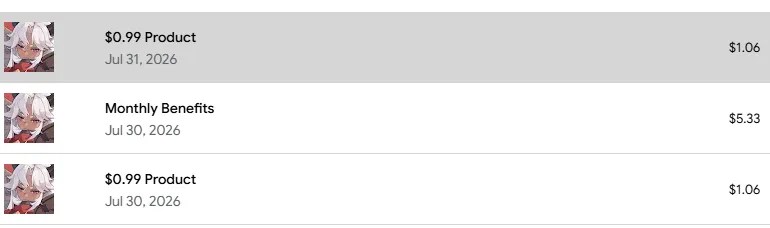
I purchased the Starter Pack (0.99), Monthly Benefits (4.99), and a 99-cent pop up offer.
Super Critical Steps for F2P

Every single day, navigate to your vault to claim your free stamina (30 pts).

You must also use your accumulated free currency to purchase Destiny Fruits, Refined Ore, and Quest Scrolls. These are non-negotiable must-buys for F2P account scaling.

If there is an active Event or Collab Event, check the shop to see if they have any of the above mentioned items.

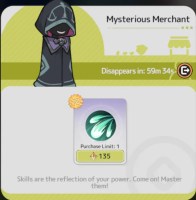
Above Mythic gear is Primordial. The Mysterious Merchant will offer these items later in game. Consider saving your premium currency for this exchange if you plan on continuing play after clearing the paid offer.
TIP: If you hit a wall in power rating, try upgrading your gear and skills. Use any destiny fruits you have to get more resources to spend on upgrades. Check the chat log for group dungeons you can join, special monster spawns, or free Resource Nodes. Lastly, hand out in the Guild Hall and collect Affection Tokens from the Sheepfold, Garden, and Roost.

General Game Knowledge

The daily server reset time is 8:00 (UTC-5).

Character Customization

The game includes a fully customizable character avatar and several cosmetic outfits and accessories you can swap between.

Selecting a Class
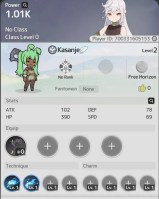
Level 1

You can either choose Mage or Warrior. I took Mage, but I think the Warrior looks more survivable. I see other players with self healing abilities that are more effective than the single spell I have learned.

Learning and upgrading Skills from Prayers will improve your Class Level. Every 10 Class Levels, you move up a Rank. Some world map game content is gated behind Class Levels and Ranks.

Player Profile

Your profile page displays all character stats including gear, skills, and clothing.

This page is what other players will see when viewing your profile.

Other functions include consuming Food for stat bonuses, healing, and viewing your Player ID (used in social media events).

The face icon on the bottom of the screen can be used to access your character sheet. There are links to access your Skill loadouts and your Class rank.

Clothing on your characters avatar can be adjusted using the Styling panel (top-right).

Additional clothing items are earned from Events, the Trading House (Level 40), or can be purchased through the Store for real money.

Raising your Style level will grant a small stat bonus to your character, but not so much that it gives players an unfair advantage.

A link to the Magic Cat is shown on the right side of the Styling Panel. Using a Shapeshifting Mirror you may alter your avatars appearance.

Other Players

On a player’s profile page there are options to send a private message, hold a practice sparring match, add the player to your friend list, exchange items from active events, block the player, or to report them.

Possible reporting options for players include: Player Name, Fantomon Name, Cheating, or Unauthorized Trading.

Guild Hall

Joining a Guild allows you to complete tasks to earn Fantomon Aptitude items, gain gacha tokens, and Affection tokens.

Other resources are earning from setting your character to AFK in a facility.
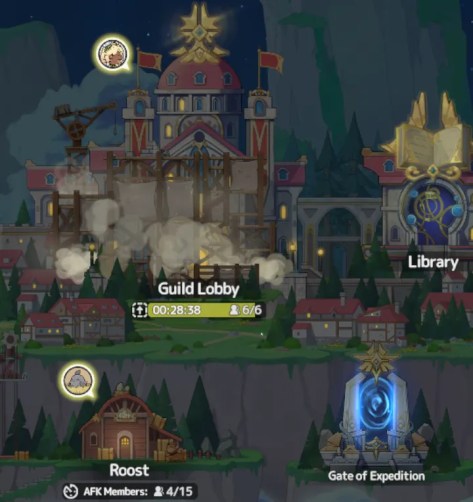
There is a 2-hour cooldown between quitting a guild and joining a new one. If you have made all Daily attempts in one guild and then join a different one, you will not receive new attempts.

Guild Tokens may be spent in the Shop to get Sheep, Flowers, and Chickens among other items.
Guild Structures
Guild Lobby
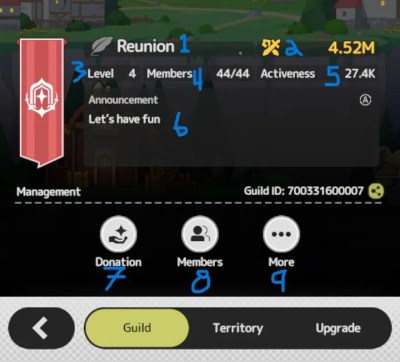
  1. Guild Name
  2. Total Member Power Rating
  3. Guild Level
  4. Number of Members
  5. Activeness Score
  6. Announcement (message)
  7. Donation
  8. Member List
  9. More Options

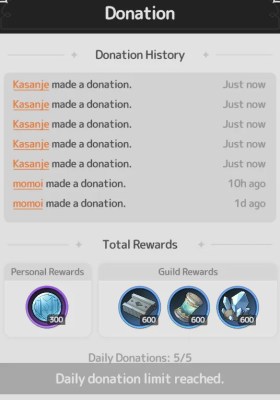
Donation: Each day you have 5 chances to donate Dawnium to your Guild. The first time each day is free, after that you may spend additional resources to donate again. Donating will improve your Contribution Score (Activeness). Donating will earn you Guild Tokens.
Member List: You can view all guild members and see which ones are online or offline. The guild leadership and deputies are visible.

Tapping on a guild members avatar will open their player profile.

I would advise you to add all guild members to your friends list to improve your Affection Token accrual rate.

More Options: You have either the option to leave the guild or to report the guild if there is a problem. Possible problems reportable include: Guild Name, Announcement, and Recruitment Slogan. Quitting a guild will start a 2-hour cooldown, after which you may join a new guild.

Territory Panel

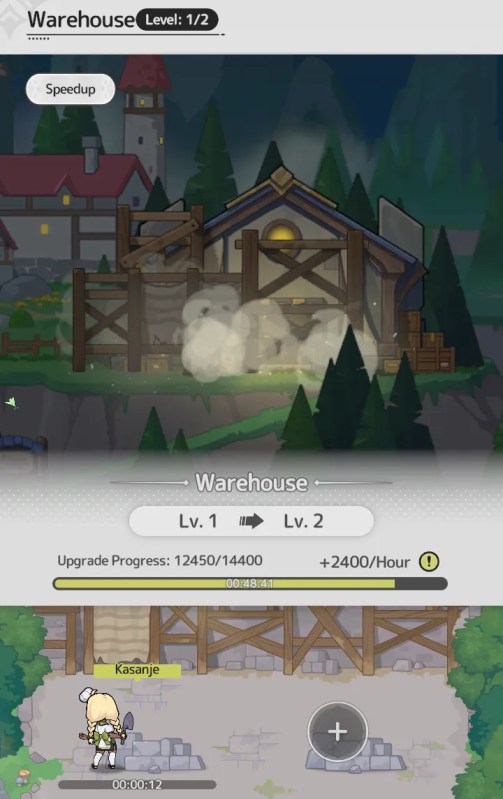
This overview displays the guilds current Resource amounts, the current level of guild structures, gathering speeds, and the number of AFK members assigned to each structure. If an upgrade is in progress on a structure, the timer will be displayed here.
  • Gate of Expedition: Guild Conquest Progress
  • Shop: Unlocked Items
  • Warehouse: Resource Limit
  • Library: Activated Glyphs and active research.
Other Guild Structures

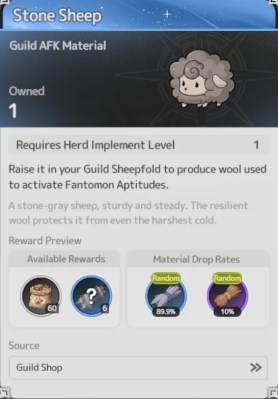
Fantomon Aptitude materials can be acquired by planting flowers, herding sheep, and roosting chickens. Upgrading the facility will increase the number of raising slots available to guild members.
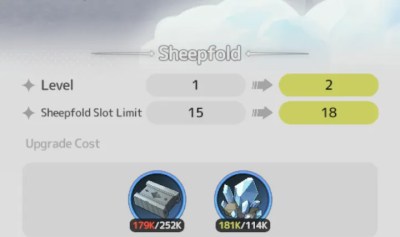
  • You can help other members maintain or collect their AFK items.
  • Each time you assist another member, you’ll receive Affection Tokens as a reward.
  • When your own AFK items are collected by others, you can view and claim the rewards in the AFK Record.

The AFK Implements used to groom the sheep, chickens, and plants can be upgraded by repeatedly completing tasks in the facility.

ImplementCompletionsYield Boost
Tender4010%/30%
Lunar16020%/60%
Solar48030%/90%
Dreamy144040%/120%

Spending time checking the three guild item facilities is a good source of Affection Tokens, beyond those you earn from completing group battles with friends.

Also, because other guild members can collect your completed sheep/flower/chickens, you don’t need to worry about checking on your items. Just go to the Record page to collect the rewards.
Fantomon Pets

Gacha System

Prayer
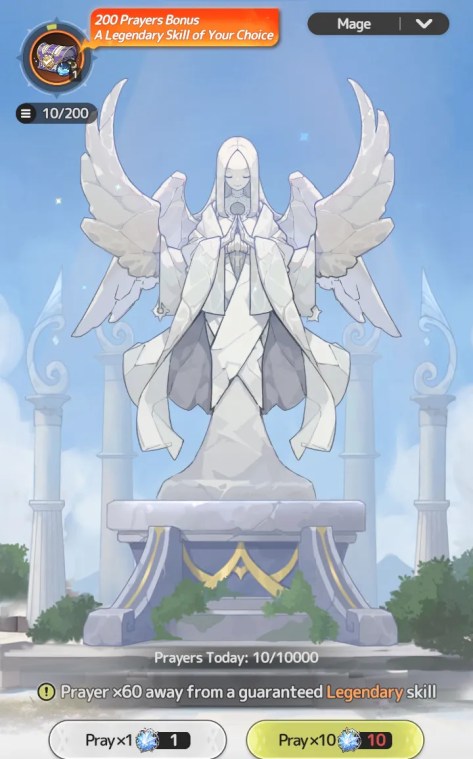
This function allows users to spend Stellatie tokens in a gacha to gain skills for their Class. A filter at the top of the panel allows users to switch between Mage and Warrior. At level 100, a player may switch their Class.
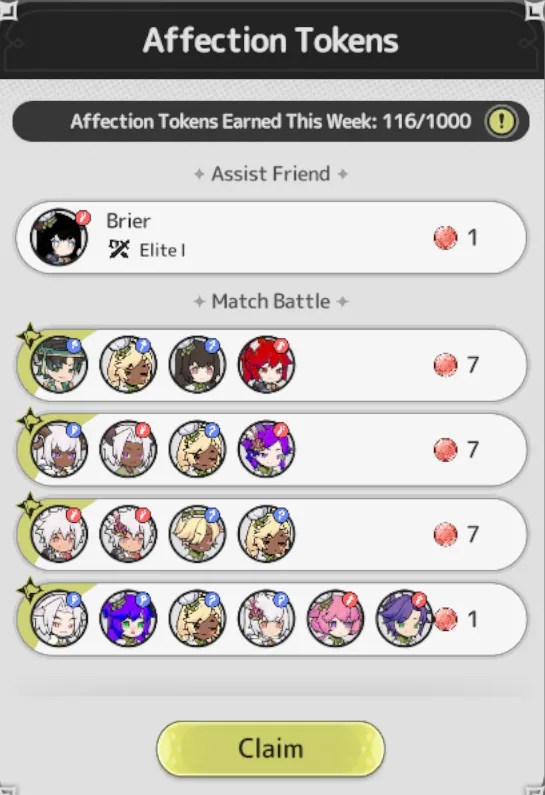
Affection Tokens may be used for Prayer.

Similarly, 1 point is earned for each Affection prayer.

Completing sets of prayers and earning points will earn the player Covenite. Each Standard Prayer grants 1 point.

Goddess Chronicles are earned by completing Affection Prayer milestones.

On the Exchange Panel you may swap Skill Shard Vouchers for an unlearned skill or gain a set of shards for skill you have already learned.

Aeonic Gacha

Using Auroral Badges, players may attempt the gacha to receive Relics that provide additional stat bonuses and set bonuses to the player.

There are four types of gacha available with varying rarity. Rare, Epic, Legendary, and Mythic.

Players are limited to 10k gacha draws each day.

Relics are specific to each World Map location. A toggle in the upper right of the panel can be used to switch locations. Below this toggle is a gray button used to access the Relic Gallery catalog. Here you can view all Relics and see their potential stat bonuses.

MapRelics
Verdantglade70 Sylvan Relics
Cinder Ridge70 Machina Trove
Other30

Vendor Booth

The selection of items refreshes daily every 24 hours. Discounted resources are available through the Vendor Booth General tab. The Vault tab includes your daily free Stamina (30 pts), Quest Scrolls, Auroral Badges, and Material Realm collection implements.

Other items include a Rename Card, Shapeshifting mirror to change your appearance, and the Golden Beetle used to clear complex puzzles on the World Map.

Destiny Fruit Tree

The large peach tree in the town grows fruits which can be used on the World Map to gain resources and chests without the normal stamina cost to pick up items.

Commercium

This game function unlocks at player level 40 and includes three options.

The Trading House includes items that can be purchased using premium currency (Luminium) which is purchased using real money.

Players may also sell their own items in the Trading House, however, you may only receive Dawnium for items that sell. You cannot trade for the premium Luminium currency.

The Auction House includes Mythic Gear and Recipes that may be bid on using Luminium. Players may auction their own gear.

The Ledger displays all past trades and auctions and shows the player their earning from transactions and any fees paid.

Journal

Along the bottom of the screen next to the face icon is a book (Journal). In this panel you may access Daily Tasks including: Daily Dungeon, Map Exploration, Resource Hunt, Competition, Material Realms, Weekly Events, Daily Events, and Fantasia Ascent.

Daily Events

Initially the only function shown here is the Crucible of Hieromon which was previously unlocked on the World Map.
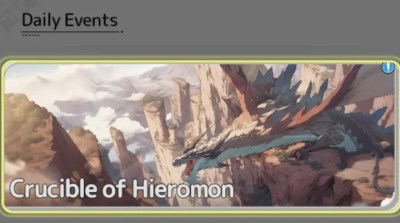
This is a 6-person boss battle that will run for 10 rounds, or until all players are defeated. The total damage dealt will determine your rewards.

Each reward can only be earned once per period. A timer in the upper-right of the screen shows the current countdown period.

The boss monster starts with 200 life bars. You can challenge the boss as many times as you want to try and get the highest score.

Weekly Events
Void Rift

During the event, pass through the portal on the map and challenge Void Rift with a team of up to 4 adventurers.

Void Rift has up to 5 floors. After clearing a floor, you have a chance to discover the portal to the next floor. The challenge ends when you reach the highest floor or find no portal to proceed.

Defeating monsters on each floor grants random rewards. The deeper you go, the greater the chance to obtain rare rewards.

You have 10 reward attempts during the event. When you finish each Void Rift challenge, 1 attempt is automatically deducted to claim all rewards from the cleared floors.

Reward Preview:

Rolla: use them for gear enhance, ascension, and buying items from the shop.
Mythic Auroral Badge: use 10 to get a capsule from the Aeonic Gacha.
Legendary Auroral Badge: use 10 to get a capsule from the Aeonic Gacha.
Epic Auroral Badge: use 10 to get a capsule from the Aeonic Gacha.
Rare Auroral Badge: use 10 to get a capsule from the Aeonic Gacha.
Chaos Invasion

After a 7-day countdown, the Chaos Invasion begins.

Once the event starts, chaos monsters will invade Kanstein. Defeat them to protect Kanstein!

Phase 1: Defeat Chaos monsters to collect Chaos Shards. The number of Chaos Shards collected varies depending on the team size and the monsters defeated:

  • Small Monster Scale: 5-20
  • Medium Monster Scale: 25-50
  • Large Monster Scale: 50-100

You can collect up to 100 Chaos Shards per event.

Phase 2: Once you collect 100 Chaos Shards, you can travel through Chaos Rifts to challenge the Chaos Tyrant. You can team up with other adventurers who have collected enough Chaos Shards to face the challenge.

The first challenge against the Chaos tyrant guarantees a fixed number of Chaos Crystals. For a limited time after the event ends, you can exchange your Chaos Shards and Chaos Crystals with the Mysterious Merchant in your Home for various items. Available items vary based on your Rank.

Repulsion Rewards: Each adventurer’s highest DMG dealt to the Chaos Tyrant will contribute to the server’s total DMG. When the total DMG reaches a milestone, all adventures will receive repulsion rewards. Reward amounts vary based on your Rank.

Ranking Rewards: Every time you challenge the Chaos Tyrant, your total DMG dealt will be recorded. Ranking are based on the highest DMG dealt in a single challenge, with separate categories for different classes. After the event ends, you will receive ranking rewards based on your final placement. Reward amounts vary based on your Rank.

Rewards Overview:

RankReward
No. 130x Primal Forge Shards, 20x Covenite, 20x Legendary Auroral Badges and 200x Chaos Crystal
No. 2-325x Primal Forge Shards, 18x Covenite, 15x Legendary Auroral Badges and 180x Chaos Crystal
No. 4-520x Primal Forge Shards, 16x Covenite, 15x Legendary Auroral Badges and 180x Chaos Crystal
No. 6-1015x Primal Forge Shards, 15x Covenite, 10x Legendary Auroral Badges and 160x Chaos Crystal
No. 11-2015x Primal Forge Shards, 14x Covenite, 10x Legendary Auroral Badges and 160x Chaos Crystal
No. 21-5015x Primal Forge Shards, 13x Covenite, and 140x Chaos Crystal
No. 51-10010x Primal Forge Shards, 12x Covenite, and 140x Chaos Crystal
No. 101-20010x Primal Forge Shards, 11x Covenite, and 120x Chaos Crystal
No. 201-50010x Covenite and 120x Chaos Crystal
No. 501+8x Covenite and 100x Chaos Crystal
Daily Dungeon

You receive 2 Free Attempts each day to challenge the boss with a group of 4 players (2 extra may be purchased using Dawnium).

The battle uses a matching system with other players that are online. Combat involves clearing enemies from map locations before advancing to the next location. Players may vote on which location to travel to by tapping on the tile.
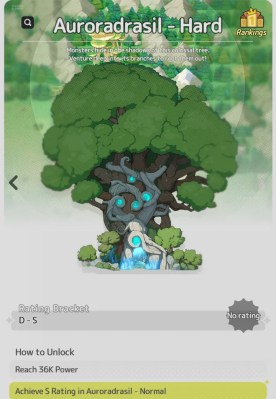
Some map locations include additional chest rewards and others are rest locations where players may use food to heal and add temporary buffs to their character.

Depending on the number of floors successfully cleared, the battle will receive a grade (A, S, etc.) and rewards will be issued. In addition to the regular rewards, you have 2 chances each day (more with spending) to claim Gear from the fight.

After Reaching Cinder Ridge, you may receive Mythic shards or even completed Mythic gear from the Daily Dungeon. A B rating will earn 6 Mythic shards, A gives 7, and S gives 8 shards.

Map Exploration

There are two functions available in this mini panel. Resource Hunt and Destiny Fruits.

Resource Hunt

Select the resource you want and the game will load the highest earning area for that item.

Tapping the Cog icon on the left of screen will open the Auto-Play menu. Select the number of attempts you want to use and it will display the total resources collectable.
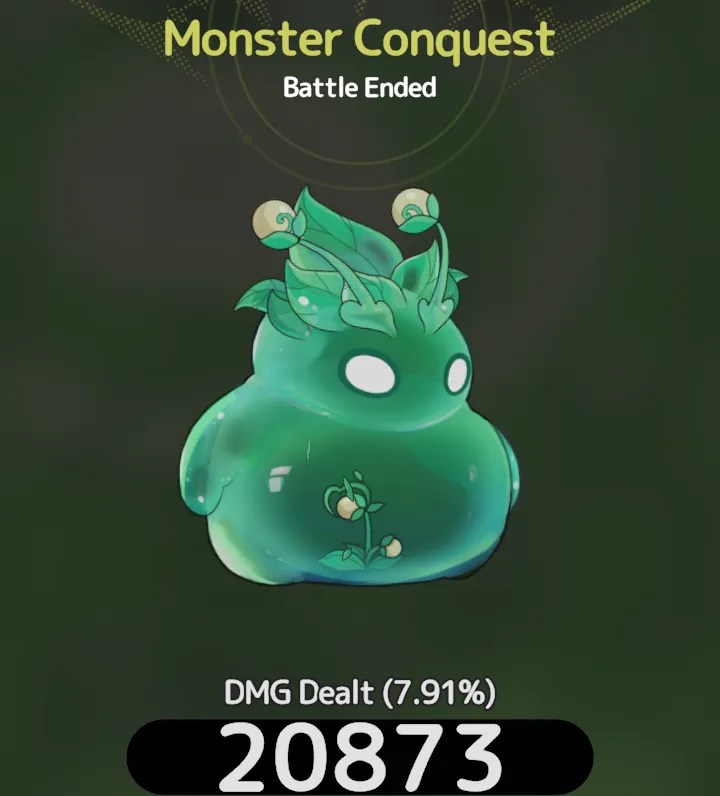
Tap Enable to start the collection activity.

While collecting, there is a chance for a special monster to spawn and for Mining Nodes to appear.

Inviting players to harvest the node will earn you Affection Tokens. Defeating the special monster rewards Dawnium and Merchant exchange currency (Feathers/Alloy).

Destiny Fruits

Collect your daily fruit supply and then move to the map to use the fruits to gain free resources and chests. Additional fruits may be collected from the tree in your village.

World Map

Players start on the island of Originisle to play the tutorial. The next location is Verdantglade (20), followed by Cinder Ridge (40).

Tapping on the mini-map open the full map viewer. you may scan the area for uncompleted regions, special monster spawns, and resource nodes.

Other structures viewable are temporary stat boosting statues, merchant trading areas, and locked bonus areas.

Using a key, a drill, or the acid potion, you may access some locked areas of the map. These are all optional and will provide extra resources.

Commissions

Starting at level 30, Commissions may be completed. Each successfully cleared commission will grant points towards the associated Partner character.

Partners will provide further stat bonuses to your character and may join you in battle for certain tasks.

Commission rewards can be used in cooking and for exchange at either Merchant in Verdantglade or Cinder Ridge.

Gear and Skills

Other than ascending a skill, when you perform an upgrade, it affects the slot where the skill is located, not the skill itself. This way you can swap skills and retain the benefits of the upgrade.

Gear can be upgraded or you can wait to get higher level gear from combating monsters. Raising your gear to set levels will unlock Resonance bonuses improving your stats overall.

Gear is frequently swapped for better stuff as you progress through the game.

Until you reach Cinder Ridge, Mythic gear will be unavailable.

The first Mythic items you can equip are earned through the Daily Dungeon. You will need 100 Mythic shards to combine for a new item.

It is widely suggested to choose a weapon for your first Mystic gear. Another option is to replace your weakest piece of gear.

Player Guides from Discord

All Relic Special Stats in Different Kingdom/Seasons

Author: QY_Maple.

https://qymaple.github.io/sxs-research-global/maple-sxs-specialrelic

Stellaris Rewards List

Author: Jinjiko.

  • 15000    Main Weapon Visage: listen to the world
  • 18000    PvE DMG RES +4.8% (Relic)
  • 22000    Membership Badge
  • 26000    Hairstyle & Headwear Visage: Listen to the World
  • 30000    PvP Bonus DMG +4.8% (Relic)
  • 40000    SPD +1.5% permanently (Dish)
  • 50000    Home EXP Yield Boost +5% (Relic)
  • 60000    PvP DMG RES +4.8% (Relic)
  • 70000    ATK +1.5% permanently (Dish)
  • 80000    Outfit Visage: Listen to the World
  • 90000    PvE Bonus DMG +4.8% (Relic)
  • 100000    ATK +1.5% permanently (Dish)
  • 120000    Hero’s Handbook Star-up (Relic)
  • 140000    PvE DMG RES +4.8% (Relic)
  • 160000    ATK +3% permanently (Dish)
  • 190000    Off-Hand Weapon Visage: Listen to the World
  • 220000    PvP Bonus DMG +4.8% (Relic)
  • 260000    ATK +7% permanently (Dish)
  • 300000    Backwear Visage: Listen to the World
  • 360000    PvP DMG RES +4.8% (Relic)
  • 420000    HP +3% permanently (Dish)
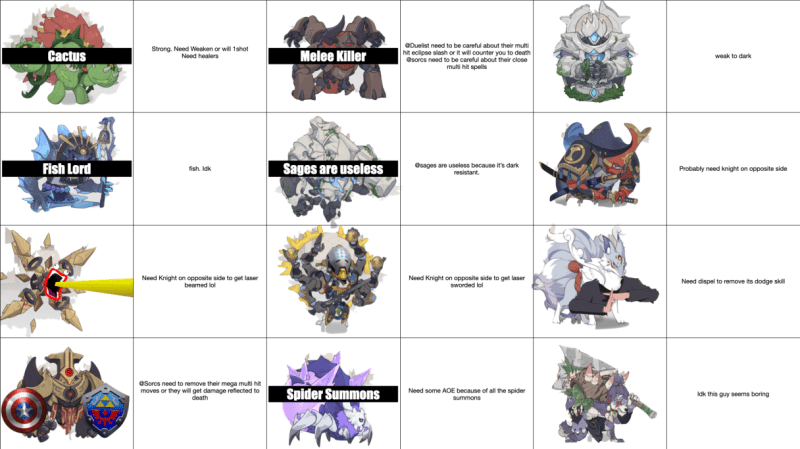
Silly Conquest Guide

Author: Teefling.
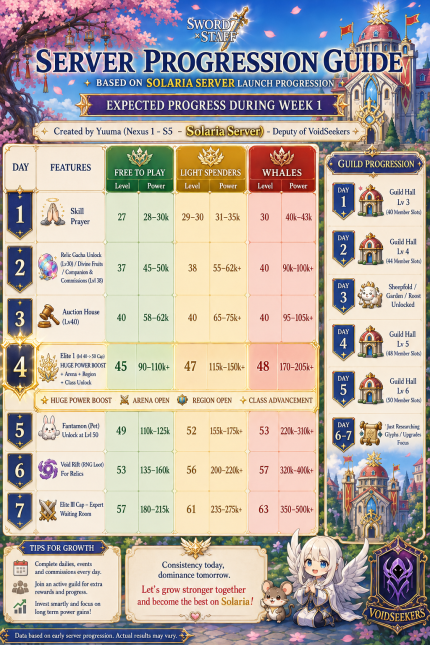
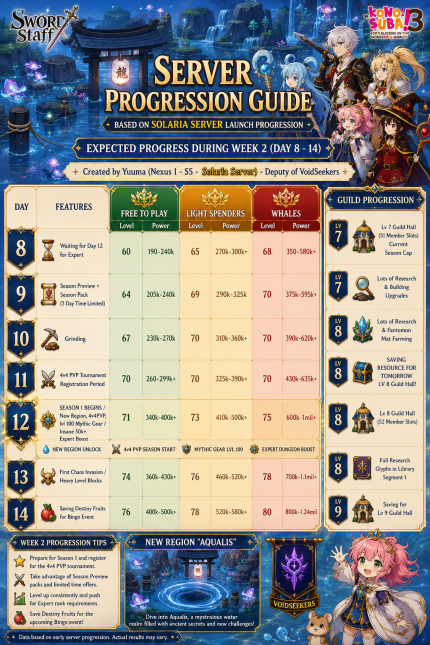
Server Progression Guide

Author: Yuuma.

Textual version for accessibility: https://docs.google.com/spreadsheets/d/1Y9xLvPMgB8tnoxOkf39KMpHDwjMxv5G6z_qWA5eiT_0/edit?gid=0#gid=0
MAKe Drama

하고싶은RPG, is a Simulation / Collectible RPG (Gacha) mobile game.

As of writing, the title is in a closed release for Korean players only. A future Global release is planned.

Due to the rating of the game, I will limit most post content to text.

Combat proceeds in a side-scrolling manner, where you form a party of 5 members, consume stamina vitamins to enter a dungeon.

The following information was gathered from Namu Wiki entry for Make Drama, and edited using Google Gemini to improve English language conversion from the original Korean Hangul language.

Table of Contents
  1. About
    1. Setting and Lore: The World of ‘Idea’
      1. Metropolis – Humanitas
      2. Metropolis – Bermont
    2. Game Functions
      1. MochiTalk: Conversations, Dates, and Customization
        1. Engaging in Bond Stories
        2. Date Mechanics & Choices
        3. Reviewing & Displaying Unlocked Content
      2. Partner Progression and Equipment System
        1. Equipment and Enhancement
        2. Leveling Up & Experience Overflow
        3. Promotion (Star-Rating Upgrades)
      3. Misc. Functions
        1. Regional Domination
        2. Archive Ascent
        3. Arena
        4. Special Procurement
        5. Flurry Zone
    3. Tier List (Translated)
    4. Characters (Sorted by Faction)
      1. MAD
      2. Donut House
      3. The Great Tofu Gang
      4. Lucky Truck
      5. Midwen Corporation
      6. Super Rich
      7. Bloody Mary
      8. Philharmonic Monastery
      9. Chronoscalar
      10. Unside
      11. Pungwolhoe
      12. The Four Gentlemen
      13. Girls Storm
      14. Saverim
      15. Kinogarten
      16. Carmento
      17. New Money
      18. Independent
        1. NPC Characters

About

Setting and Lore: The World of ‘Idea’

The story takes place in an alternate world known as ‘Idea.’ The protagonist is a “Master” summoned by Idea’s three goddesses: the first goddess, Ami; the second (unnamed); and the third, Dandelion.

A Modern Twist on the Isekai Genre

While the concept of goddesses typically points to a medieval high-fantasy setting, Idea is quite the opposite—it is a world structurally identical to modern Earth.

The protagonist technically fits the classic trope of an Isekai (another world) hero:

  • He is chosen and summoned by divine entities.
  • He receives a blessing called a ‘Crown’ from the goddesses to boost his own strength.
  • He can share his ‘Holy Power’ to empower his companions.

However, where typical Isekai protagonists are revered as legendary figures, the main character of this work receives almost no special treatment or benefits within the story. Instead, he simply leads a mundane life, diligently taking care of his everyday responsibilities—subverting the traditional power-fantasy clichés.

Society and Demographics

Idea is divided into various ‘Metropolises’—such as Humanitas and Vermont—each boasting its own distinct culture, much like the urban hubs found in other creative fiction. The world is also home to diverse fantasy races, including humans, demons, beastmen, and angels.

The Unique Predicament

Despite their cultural and racial diversity, every society in Idea shares one major commonality: the entire population consists exclusively of women. There is not a single native male in the entire world, making the summoned protagonist the sole male existence in Idea.

According to Ami, the protagonist was specifically summoned because of his gender, making his role in this world incredibly vital. However, she deliberately keeps him in the dark, withholding any explanation of what he is actually supposed to do.

Metropolis – Humanitas

A metropolis built upon massive capital and towering technological prowess.

While it appears that corporations and money dominate every facet of existence, free spirits dwelling in the cracks continue to live out their lives in their own unique ways.

In this world where common sense does not prevail, lies a city so peculiar that one wonders just how it manages to function at all—a place where order and chaos, control and freedom, exist side by side.

This place is called 【Humanitas】.

Metropolis – Bermont

A beautiful city of culture where sensibility and art come alive. Amidst the precarious coexistence of religion and magic, the people here seek the ultimate truth.

While the majority of the population believes in a deity called ‘Harmonix,’ the city firmly guarantees freedom of religion. However, non-believers simply miss out on the countless exclusive events and perks offered solely to the faithful…

This place, where even faith is transformed into a source of entertainment, is called 【Bermont】.

Game Functions

Profile: Displays your current nickname, level, experience points (EXP), and icon. Tapping your profile opens a sub-menu where you can set a representative partner, change your nickname, view your account creation/login dates, and track your overall progress.

MochiTalk: A communication hub where you can chat with your partners, give them gifts, and take them on dates. This interface also allows you to monitor your partners’ Desire and Affection levels.

Stamina Vitamin: The core energy resource required to progress through and conquer different regions.

Seed: A premium/utility currency used to summon partners, purchase Stamina Vitamins, and more. Seeds can be earned by clearing regions, completing missions, and participating in events.

Inventory: Stores your collected items, materials, and equipment.

Options: Allows you to adjust game settings, audio, graphics, and account configurations.

Event Banner: Displays ongoing in-game events, promotions, and special announcements.

Partner: Opens the management screen for your summoned characters. Here, you can review their stats and upgrade their levels, skills, and equipment.

  • Call: The gacha/summoning system used to recruit new partners. Duplicate summons grant Idea Memories, which can be spent in the Shop.

Quest: Lists daily, weekly, and special missions that award various progression resources upon completion.

Shop: A marketplace where you can buy gifts to increase partner affection, as well as essential growth materials like Battle Logs and Essences. You can also exchange Idea Memories (obtained from duplicate summons) for specific character fragments here.

Activities: Accesses the main gameplay hub. This section contains Story Mode as well as various combat features, including:

MochiTalk: Conversations, Dates, and Customization

Engaging in Bond Stories

Selecting a partner from your MochiTalk chat list allows you to initiate private conversations known as Bond Stories. These stories dive deeper into each character’s personal lore and strengthen your connection with them.

Date Mechanics & Choices

You can take your partners on special interactive dates to boost their Bond Rank.

  • The Rule of Three: Each date unfolds through a sequence of three distinct choice checkpoints.
  • Tailored Scenarios: The dialogue options and storylines provided during dates are unique to each individual partner.
  • Chronological Progression: The narrative moves forward sequentially based on the choices you make at each point.
Reviewing & Displaying Unlocked Content
  • Memory Archive: You can easily review and replay any Desire or Affection story segments you have previously unlocked.
  • Lobby Customization: Any acquired Desire or Affection illustrations/scenes can be set as your main home screen background via the ‘Lobby Screen Settings’ menu.

Partner Progression and Equipment System

Equipment and Enhancement

Every partner can be fitted with various types of equipment to significantly boost their combat capabilities.

  • Enhancement: You can upgrade your partner’s currently equipped gear to further increase its stats. The required enhancement materials can be farmed from Special Procurement: Laundry Raid or purchased directly from the Shop.
  • Gear Binding: Please note that once a piece of equipment is assigned to a partner, it cannot be unequipped and becomes permanently bound to that specific character.
Leveling Up & Experience Overflow
  • Combat Logs: You can increase your partner’s level by consuming Combat Logs.
  • EXP Preservation: When leveling up, any excess experience points used beyond the current level cap are not lost. Instead, the surplus EXP overflows and is automatically preserved for the character’s next level range.
Promotion (Star-Rating Upgrades)

When you summon duplicate characters from the Call system, you will receive specific Idea Fragments. Gathering a sufficient number of these fragments allows you to promote your partner, increasing their overall star rating and unlocking their true potential.

Misc. Functions

Regional Domination

It is a combat mission where you clear stages sequentially. There are Normal Mode and Hard Mode, and Hard Mode limits the number of entries per stage to 3 times a day.

Archive Ascent

A super virtual reality game within MAD. It is a challenge content where you can defeat enemies and stages created by your records to receive rewards.

Arena

It is PVP content commonly seen in any game.

Special Procurement

Content from which you can obtain Credits, Combat Logs, and Essence.

Flurry Zone

Content where you can defeat Flurry and obtain items needed to enhance skills.

Tier List (Translated)

Characters (Sorted by Faction)

This information gathered from Namu Wiki entry for Make Drama.

MAD
Name: LuminarCV: Momochi Luka

Bio: A single-target healer. Due to her high healing output, she is very useful as a sub-healer in 2-healer, 2-damage, 1-tank compositions that utilize Ines.

Name: FreyaCV: Shino Amekawa

Bio: Speed ​​Action Trouble Maker

Name: ThetaCV: Oomiya Waka

Bio: The Cyborg Girl of the Make Drama

Donut House
Name: CaseyCV: Akari Sakurai

Bio: A donut delivery man and a righteous police officer

Name: LaylaCV: Mao Mitani

Bio: A police officer who dedicated his life to donut research

Name: MarshaCV: Soramame

Bio: A mischievous police girl

The Great Tofu Gang
Name: VictoriaCV: Midori Shirayuki

Bio: The leader of the great Tofu Squad

Name: RonaCV: Utane Moritani

Bio: The salesperson and farmer of the Great Tofu Group

Name: SuzyCV: Suzuya Maya

Bio: The timid brain of the Great Tofu Squad

Name: CasaCV: Yuki Akashi

Bio: A desert fox beastman carrying a guitar

Lucky Truck
Name: CharlotteCV: Momoyama Ion

Bio: Lucky Truck’s hard-working boss

Name: JennyCV: Nohana

Bio: The bright and friendly receptionist at Lucky Truck

Midwen Corporation
Name: MidwenCV: Yozora Mashiro

Bio: The businessman leading the No. 1(?) company, “Midwen Corporation”

Name: ShizukuCV: Azuma Shizu

Bio: Mysterious Chief Strategy Officer of a major conglomerate

Name: HinataCV: Yuzuhara Miu

Bio: Chief Financial Secretary of a giant corporation

Super Rich
Name: KarenCV: Mitaka Rin

Bio: A graduate student chosen by the professor

Name: SevenCV: Kiiro Tsukino

Bio: Super Rich’s Android Maid

Name: RaffineCV:

Bio:

Bloody Mary
Name: ElysiaCV: Yu Amane

Bio: The hostess of Bloody Mary

Name: JinCV: Hiyoko

Bio: Bloody Mary’s bartender and servant

Name: AroneCV: Tsukishiro Mahiru

Bio: Bloody Mary’s Demon Lady

Name: ?CV:

Bio:

Philharmonic Monastery
Name: InesCV: Kokoro Moriya

Bio: The Succubus Abbot of the Philharmonic.

The Succubus Mother Superior who proclaims the love of Harmonix.
After being recognized for her benevolent nature and faith and becoming a high-ranking cleric, she strives to distance herself from worldly desires in order to be a role model for the other nuns. She appears to be concerned about her tail, which tends to move uncontrollably according to instinct.

A 3-star character with the Passion attribute in the Support position.

Her 1st skill, ‘Enchanting Invitation,’ inflicts Charm on the opponent. Her linked passive, ‘Faithful Succubus,’ grants a buff that increases healing power by 10% (15% at maximum grade) when Charm is triggered. Stacks up to 10 times. 
The 2nd skill, ‘Rampaging Desire,’ combines damage dealing and healing by attacking the nearest enemy relative to itself and then restoring the HP of the ally with the lowest HP. When the burst skill ‘Prayer to Control the Inner Self’ is activated, in addition to area healing, it lays down a healing field that lasts for 10 seconds centered on the ally with the lowest HP percentage.
It boasts a very high basic healing amount, and even when facing a boss monster that is immune to status effects, its basic performance is so solid that it allows the front line to survive longer, making it a top priority character for rerolling.

During the burst animation, it knocks away the tail that interferes with the prayer to calm it down, and then receives the blessing of Harmonix.

Name: AirenCV: Kase Shiu

Bio: Sisters of the Philharmonic

Name: LuciaCV: Momose Yuzuki

Bio: An influencer girl with a huge following

An influencer nun with a massive following. She spreads faith and ‘likes’ with her incredible friendliness and sparkling smile. Rumor has it that Lucia occasionally hosts secret parties disguised as prayer meetings late at night.

A 2-star character with the Desire attribute and support position.

Her 1st skill, ‘Power of Healing,’ is a single-target healing skill that targets and heals the ally with the lowest HP. Her 2nd skill, ‘Light Divine Punishment,’ is an area-of-effect damage skill and utility skill that deals damage to 3 random enemies and removes the target’s continuous healing effect. Her burst skill, ‘With Harmonix,’ is an area-of-effect healing skill that heals all allies. Her passive skill, ‘Increase Followers,’ which can be obtained starting from 3 stars, increases Lucia’s attack power and healing power.

When her burst skill is activated, the animation shows 
Harmonix, who is angry that Lucia is running around with other nuns instead of praying, taking out a Bible and praying just before exploding, and then giving a thumbs up Harmonix is ​​relieved.

Chronoscalar
Name: ClaireCV: Ui

Bio: Chronoscalar’s butler

Name: EmilyCV: Mai Nekoyashiki

Bio: The Wizard of Chronoscala

Name: YuriaCV: Hachiko

Bio:

Unside
Name: ManetCV: Sugihara Matsuri

Bio: The leader of the Unside

Name: ObliaCV: Hanakage Hotaru

Bio:

Pungwolhoe
Name: Dan-heeCV: Kazuha

Bio: A playboy belonging to the Pungwolhoe

Name: Hong-jeopCV: Elena Kaibara

Bio: Shaman of the Pungwolhoe

The Four Gentlemen
Name: HariCV: Haru Amachi

Bio: A young scholar gaining attention in the Four Gentlemen

Girls Storm
Name: MioCV: Aoi Haru

Bio: Girls Storm’s drummer

Name: SeraCV: Haruyama Iroha

Bio: Girls Storm’s bassist

Saverim
Name: SophiaCV: Saki Yutaka

Bio: Saverim’s kind head nurse

Name: EileenCV: Wao Kirika

Bio: Cute security guard from Saverim

Kinogarten
Name: ValentinaCV: Natsuno Mikoto

Bio: The leader of Kinogarten and a film director

Carmento
Name: TricheCV: Ayaka Igasaki

Bio: Carmento’s Spy Phantom Girl

New Money
Name: LeannaCV: Sayaka Fujisaki

Bio: New Money’s data collector and broadcast journalist

Independent
Name: ReignCV: Ayumi Sara

Bio: Snow woman as beautiful as pure white snow

Name: KageCV: Nanagase Rin

Bio: Perfectionist Kunoichi

Name: Lord of RomanceCV: Kanau

Bio: A romantic girl who lives for romance

NPC Characters
  • Head Maid (Humanitas’s prison. The chief guard managing the Panoticon.)
  • Black Angel (She was once an ordinary and frail girl, but due to a certain incident, she came to have blind faith in muscles.)
  • Bunny Gloria (Bunny girl themed casino. Bunny Empire is in operation.)
  • Exenos (A penitent of the Celestial Monastery, a high-ranking nun.)
  • Bellita (【Pelican Peeling Store】’s flagship star)
  • Lydia (The owner of the bakery “Butter Bloom” in Humanitas Alley)
  • Dandelion (The third of the three goddesses)
  • ARMY (The first of the three goddesses)

Viking Rise

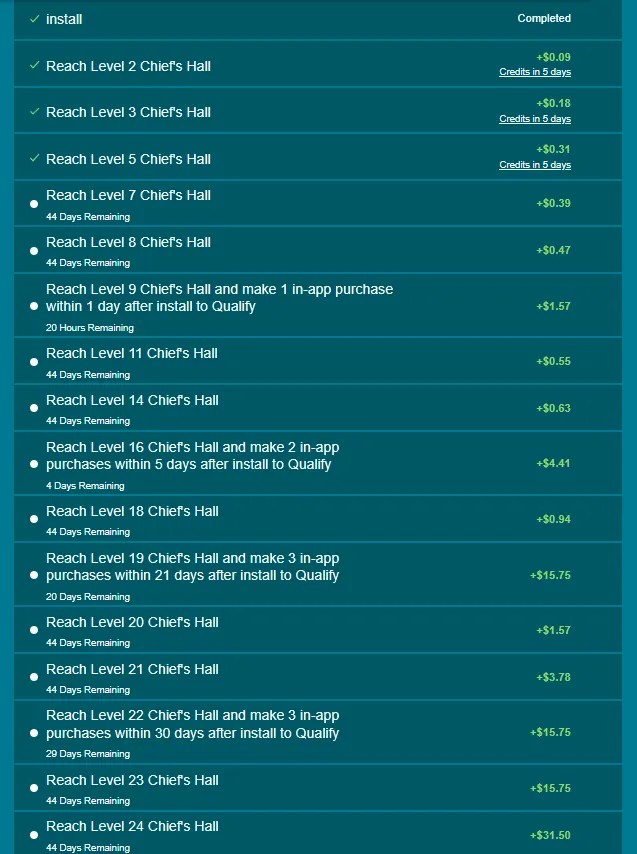
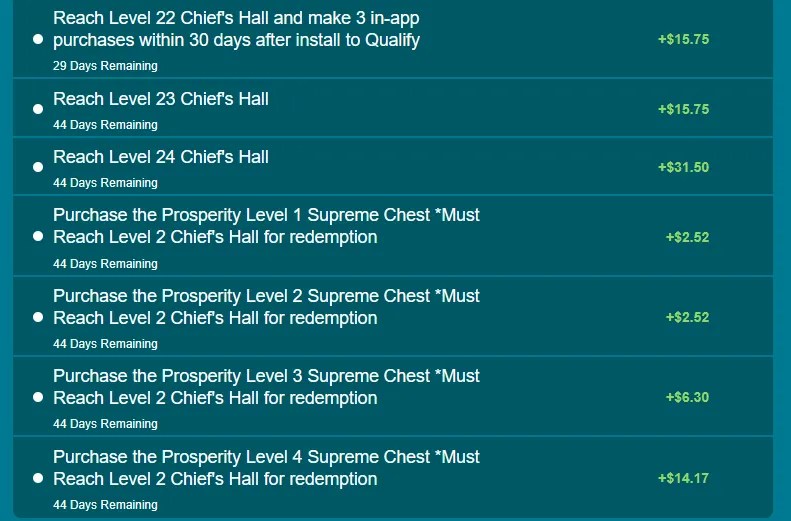
I started this offer through InboxDollars with a maximum payout of $119 for reaching Chief Hall 24 in 45 days. The terms include 4 required purchases which are partially reimbursed (50%).

There’s also several times goals, such as reaching Chief Hall 9 on your first day of play, and Chief Hall 16 by the 5th day. Both goals also require an in-app purchase. This can be accomplished by completing the other spending goals.

Viking Rise is a standard 4X Game with a Norse theme, there are several other “Viking” themed mobile games with similar design and format.

  1. My Progress
    1. Offer Terms
    2. Alternative Offer (Hero Collection)
    3. Required Spending
      1. Optional Purchases
    4. Gift Codes for Viking Rise
      1. G-Spark Creator Code for Viking Rise
    5. Collecting Resources
    6. Upgrading the Chief Hall
      1. Chief Hall Upgrade Path
        1. Resources for Chief Hall Upgrades
        2. Pre Requisite Upgrades
    7. Managing Heroes
      1. Talent Wheel
        1. Hero Leveling Guide

My Progress

Day 32 (Finished)

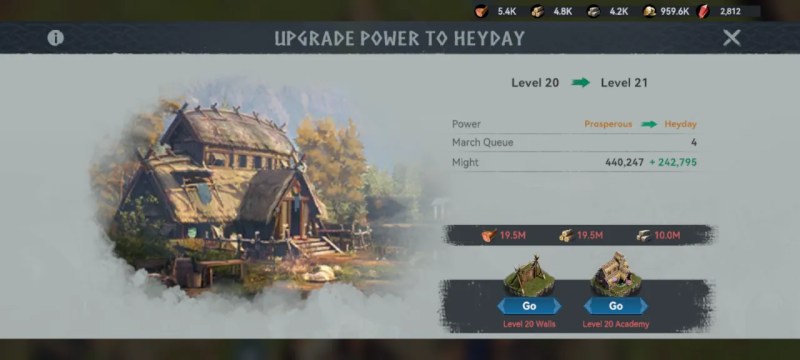
I am stopping here. I reached Chief Hall level 21 and the $3.78 went pending. I still have 13 days left on the offer, but I don’t have enough resources or speed up items to cover the necessary constructions.

My total spent on this offer was $7.45 (including tax). I received $28.75 from completing goals. So my total earned was $21.30 for 32 days of efforts.

Day 18

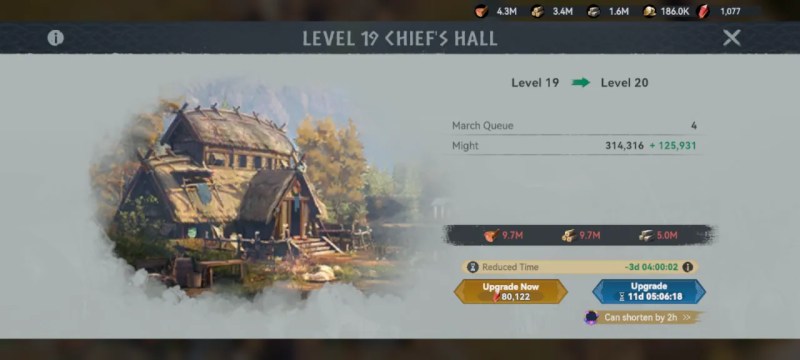
I just used a 7-Day speedup to finish construction on Chief Hall 19. I also made a 3rd in-app purchase.

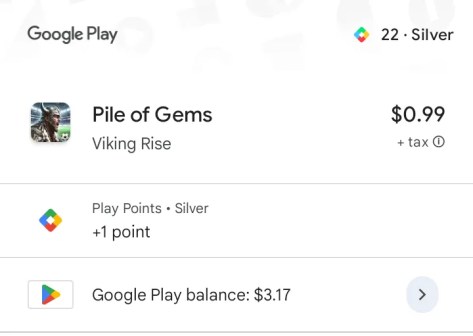
I’m just buying the dollar deals using Google Play credit.

I should now qualify for the +$15.75 goal.

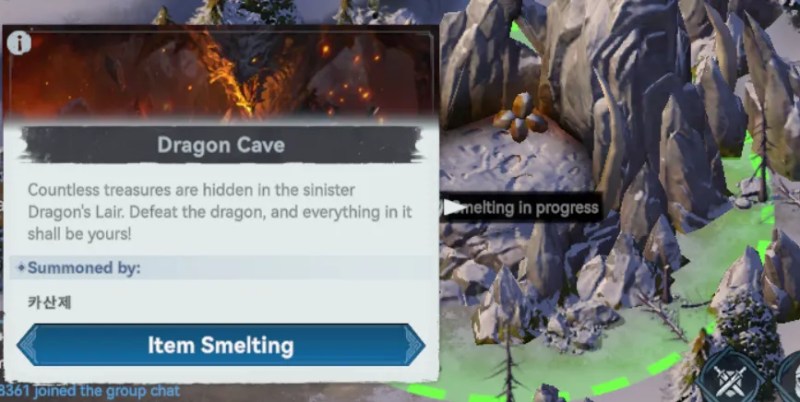
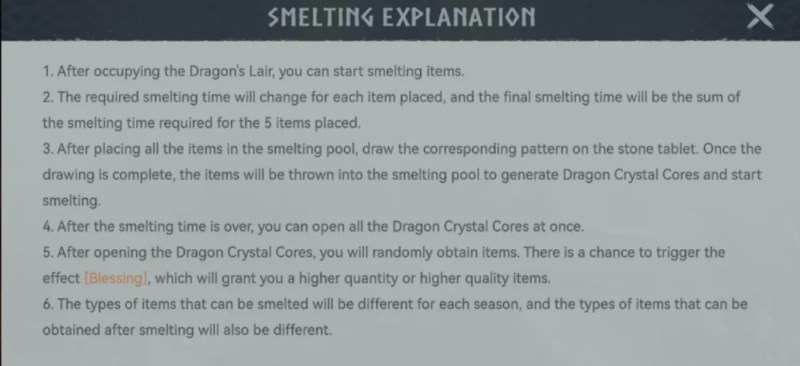
Tip: I’ve found the Iron Smelter (Dragon Lair) function really useful after I burned through my free resources. I got some 50k Wood items from the shop and then added them to the Smelter. It multiplies your items after a lengthy cooldown period. I have mine set for every 8 hours. Sometimes I will only double the item, but when I get lucky, it turns into a 150k item.

Alliance: I hopped around a couple times, and now I am with a small group near the edge of the map. There’s less chance of getting raided way out in the boonies. When collecting resources inside alliance territory, there is a 25% bonus speed.

Heroes: I have focused mostly on raising the level of my heroes that get economic bonuses. The Blue and Purple heroes are much easier to get shards for, and they are mostly economic-focused.

Day 10

I’ve started upgrading the Chief Hall (CH) to 16. I missed the bonus goal for CH 16. My next reward is at CH 18.

It’s gonna take 5.5 days to complete, I used most of my speed ups getting to this point and I burned through my resource items.

Getting to CH 16 in 5 days may be possible with speed packs, there are a couple good ones in the shop, but the cost outstrips the reward.


Offer Terms

offer terms for Viking Rise through the InboxDollars platform

Alternative Offer (Hero Collection)

On other play-to-earn platforms, the offer terms are to collect 23 Heroes.

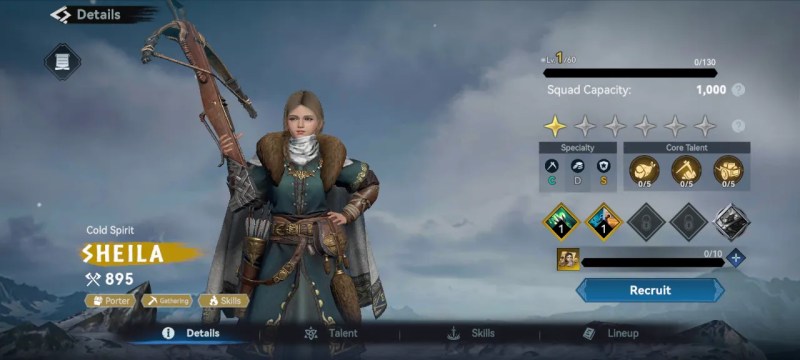
There are actually only 22 heroes available Free-to-Play (F2P), so if you are doing that offer, you will need to complete the “First Purchase” event to get the special hero.

The following guide was written by happyadjustablespnrs in the Inbox_Pounds subreddit. Be sure to give the original post an upvote if you find this useful.

Viking Rise Tips

Viking Rise on Inbox Pounds offers £34.10 for collecting 23 heroes. For a ‘free to play’ attempt there are only 24 currently available.

I got 23 with only 2 x £0.99 purchases but potentially could have done it with just 1 x.

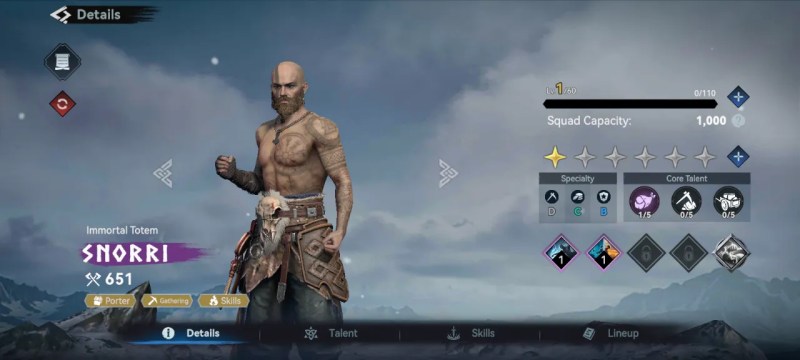
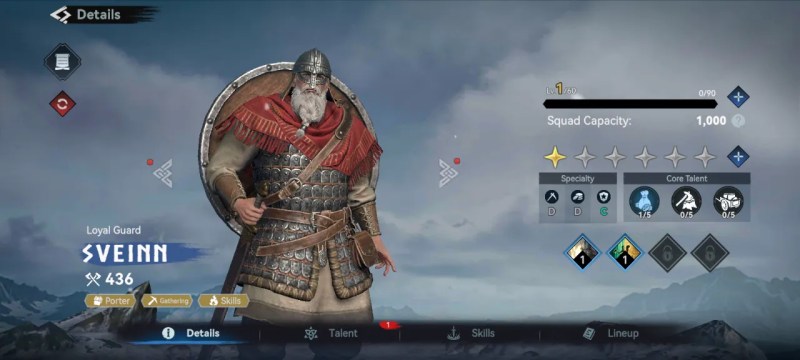
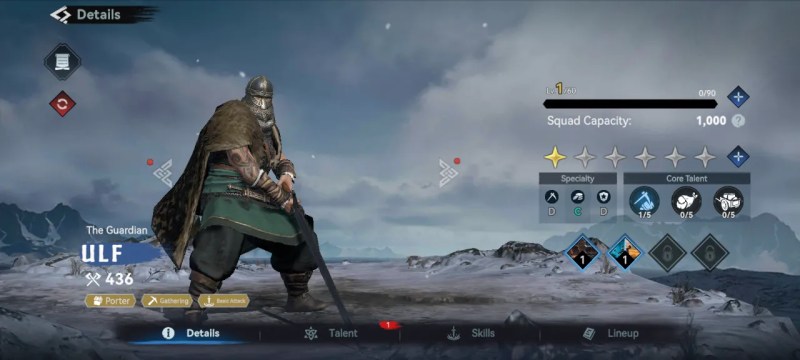
These heroes you’ll likely get through normal gameplay (early part of story, and LOTS of Hall of Valor summons):

  • Svienn
  • Waltham
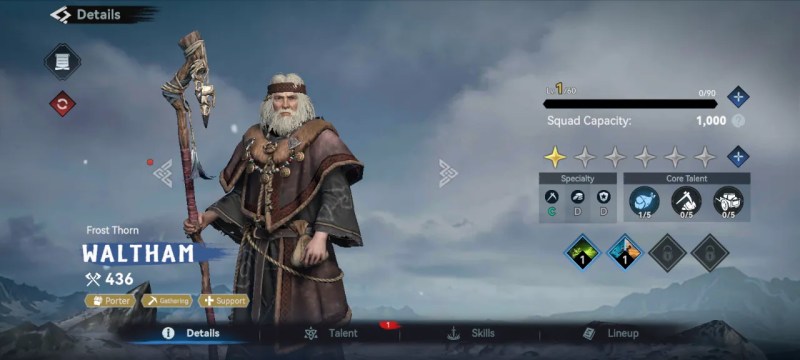
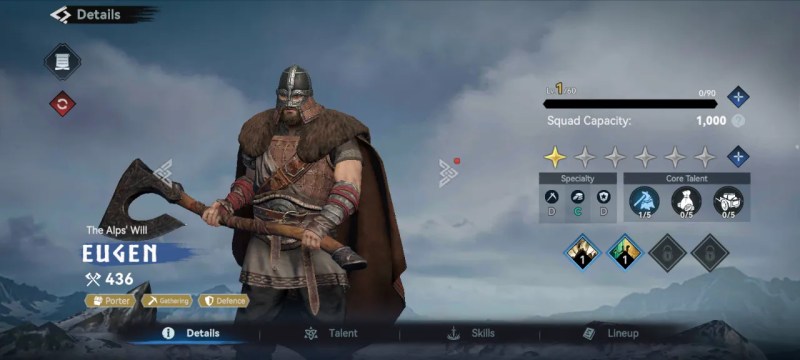
  • Ulf
  • Eugen
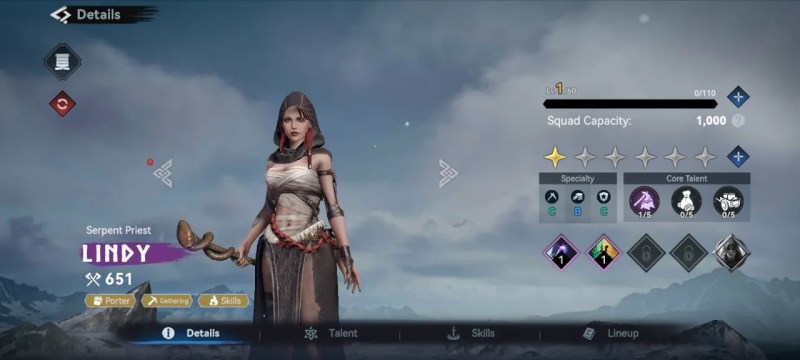
  • Lindy
  • Snorri
  • Erik
  • Michaela
  • Wooden
  • Olena
  • Cecia
  • Ivor

These heroes may need more work:

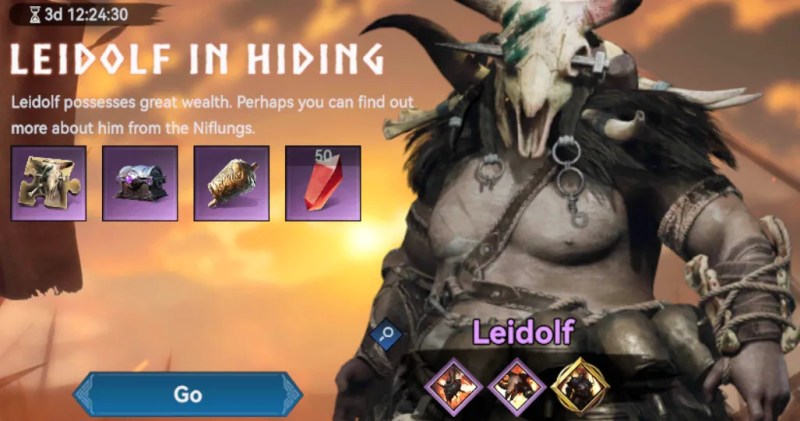
  • Leidolf – available through the Leidolf in h Hiding event. There should be some Iron or Bronze bells in your inventory from normal gameplay, uses these to summon an enemy that can be defeated to get Leidolf shards.
  • Sheila – Can’t remember how I obtain this one sorry.
  • Rollo – obtainable by getting to floor 5 (I think) in the Rollo challenge which unlocks quite early. Isn’t too much hassle to do the dungeon game and then you don’t need to play this again.
  • Jens – I think I got lucky here as I won Jens in one of the random events. Jens can be selected as a Legendary reward for crystals. I got him on second attempt spending only 250 crystals. You might have to spend much more. You won’t get him through the staging post rewards in the time available.
  • Laird – I got some shards through the Wheel of Fortune event and then bought the remainder at the Mall for £0.99. I ended up getting enough shards after that I didn’t need to pay.
  • Ivana – Obtainable by participating in the Sacred Crucible which nlocks at Chief Hall level 15. I played two games and had enough points to buy the Ivana shards. Took about an hour.
  • Sigurd – Got him same way as Jens using crystals
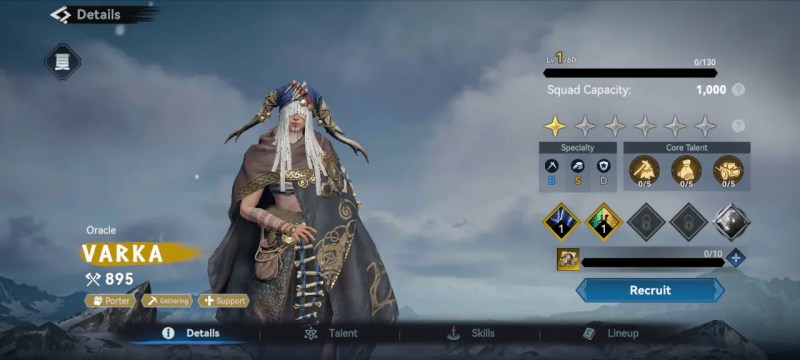
  • Varka – Obtainable by completing the staging posts quests
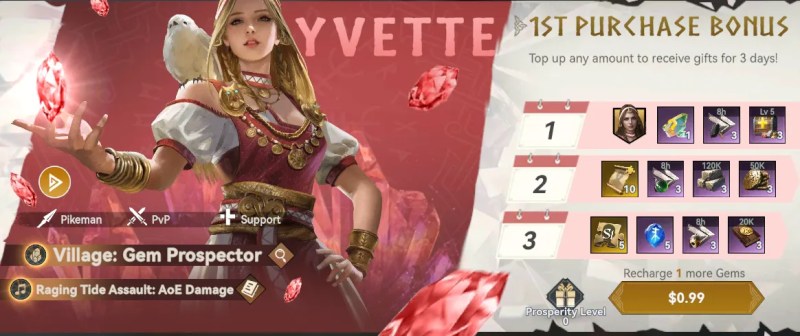
  • Yvette – I think she is available in the First Purchase pack which I bought for £0.99
  • Gregory – I think he was obtained through the story, I had him very early on

The last hero needs preparation:

  • Verdandi / Arthur – Available through the Viking Reign event which happens once a week or once every two weeks. You need to score in the top 100 of users to be awarded 10 hero shards. You’ll need around 2 million points to reach the top 100. I got 4 million and place around 50th. Read the rules of the event but main thing is to save resources, gems and speed ups before the event starts and then use everything available to push up your score. The event lasts over 5 days so does require a bit of management to make sure you can participate each day.

General tips:

  • My chief hall was Level 18 when I stopped playing, I think 15 is enough though
  • Keep training troops when you have resources as you will need them for the Viking Reign event
  • Participate in the regular events to obtain more Oracle Soulstones
  • Use gems for Oracle Soulstones when available
  • Upgrade the Hall of Valor early to reduce time between free summons
  • The other heroes on the list are definitely not obtainable without spending much more money than the offer pays out.
  • You can buy some hero shards for Clan points at the Honey Tavern which is in your village.
  • Complete the daily tasks to get an extra Oracle Soulstone each day.

20 heroes for £19.10 is definitely achievable with some casual play over the 40 day offer window. 23 is more work and might need a bit of good luck to get the right summons.


Required Spending

offer terms for Viking Rise through the InboxDollars platform

Optional Purchases

The Growth Pack is only available if you have purchased/reloaded 15k Gems. There are some pop-up offers that include lots of gems that may contribute to unlocking the Growth Pack. But you can expect to spend $30 (before taxes) to get the necessary Gems.

Additional Builders are unlocked through upgrading the Chief Hall, so you won’t be prompted buy any extras for this offer.

Gift Codes for Viking Rise

Gift codes can be found on the official social media channels. The discord has codes posted twice per week and on Facebook there are weekly events.

The Viking Rise Reddit sub is essentially defunct. It looks like someone created a Fandom wiki page but never added anything to it. But that’s fine, Fandom is a nightmare full of ads and spyware.

CodeExpiration
VR300Doesn’t Expire
VR350Doesn’t Expire
VR400Doesn’t Expire
VR450Doesn’t Expire
VR500Doesn’t Expire
VR777Doesn’t Expire
VIKINGGOAL26June 26th, 2026
VRDRAGONBOAT26July 3rd, 2026
VRFATHERSDAY26July 5th, 2026

*Codes are not case sensitive.

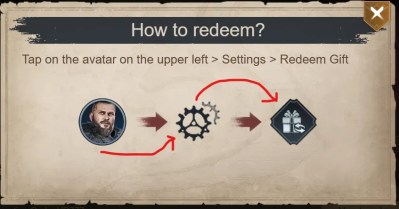
To use gift codes in the mobile game, Viking Rise, Tap on the avatar on the upper left > Settings > Redeem Gift.

Codes may be redeemed once per account and can new codes can be found on the Official Discord server.

G-Spark Creator Code for Viking Rise

After building the Notice Board at Chief Hall level 6, you will be prompted to enter a G-Spark Code from your favorite creator.

You can only do this within 6 hours of account creation. Use code (GSPCD3FUMV) or follow the steps below.

  1. Download Link: https://gspark.igg.com/bind?invite_code=GSPCD3FUMV&task_id=41
  2. Enter the game and reach Chief Hall Level 6 → go to [Notice Board] → tap [G-Spark News] → and enter my invite code: GSPCD3FUMV

Collecting Resources

All resources you need during the tutorial can be acquired on the Village map.

After you reach Chief Hall level 6, you can build the Porter Barracks and train Porters, a unit with a high Load capacity. These Porter’s are the unit you will use to collect resources on the World map.

The first Village you capture will be a Gem Prospector.

I strongly advise switching this to Commerce at the earliest opportunity.

Upgrading the Chief Hall

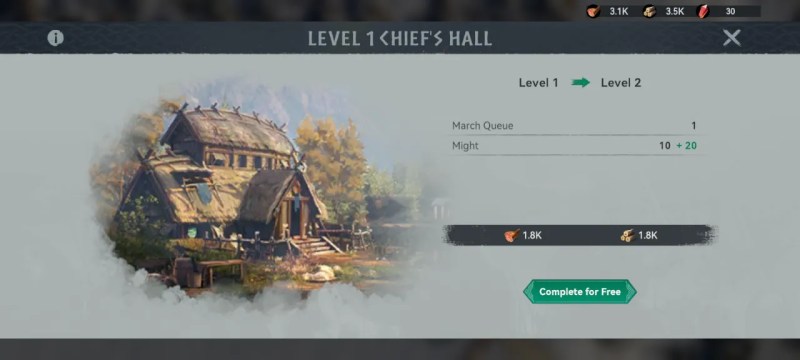
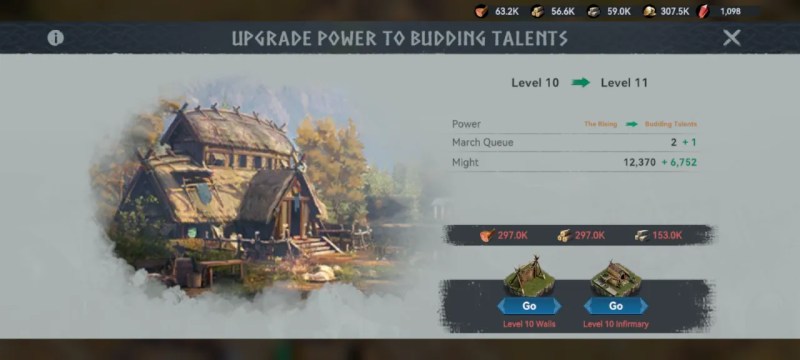
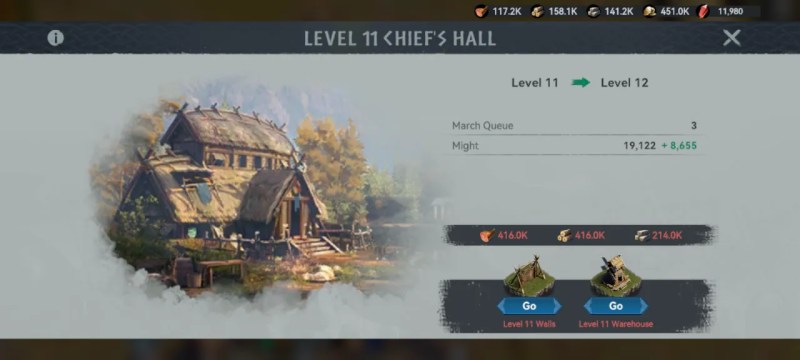
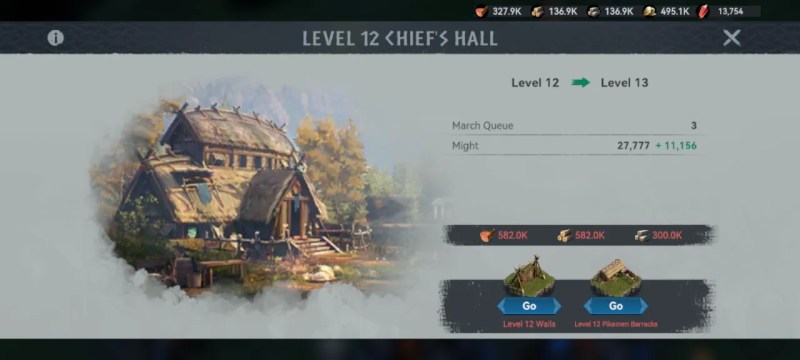
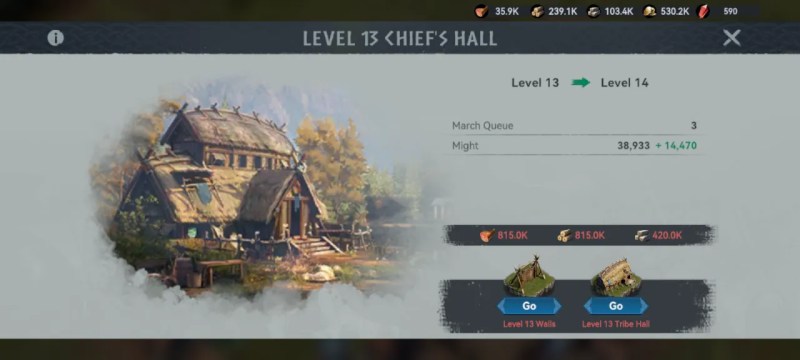
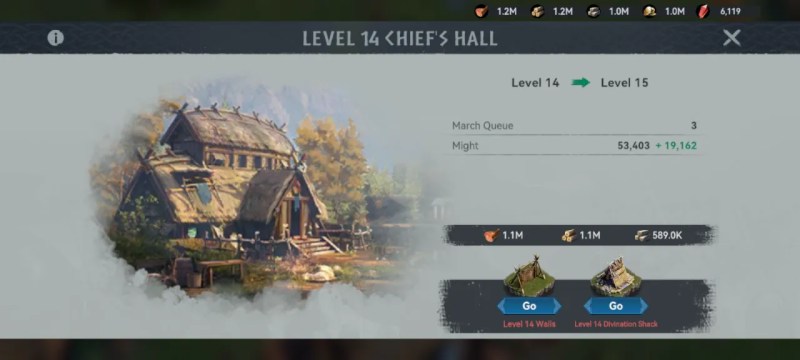
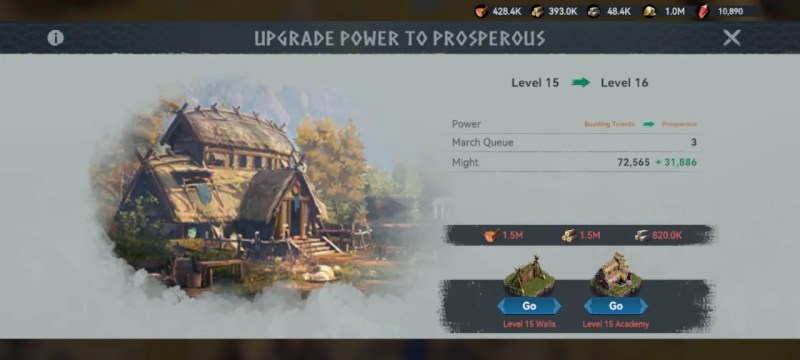
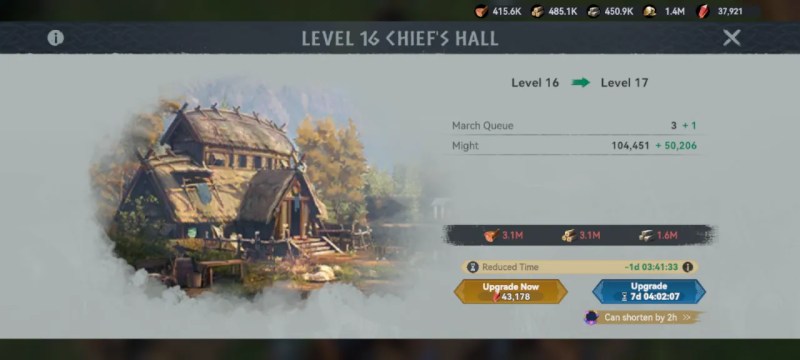
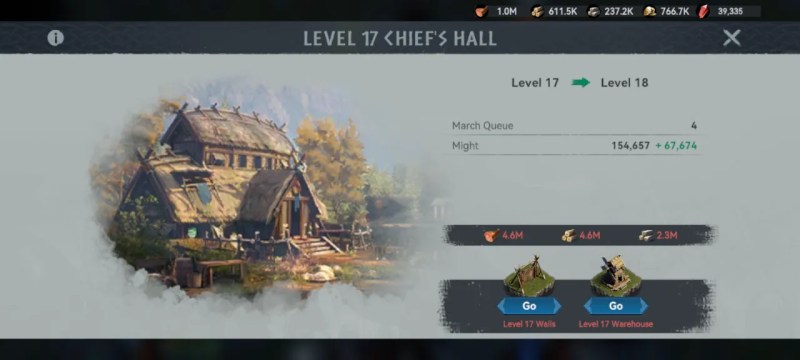
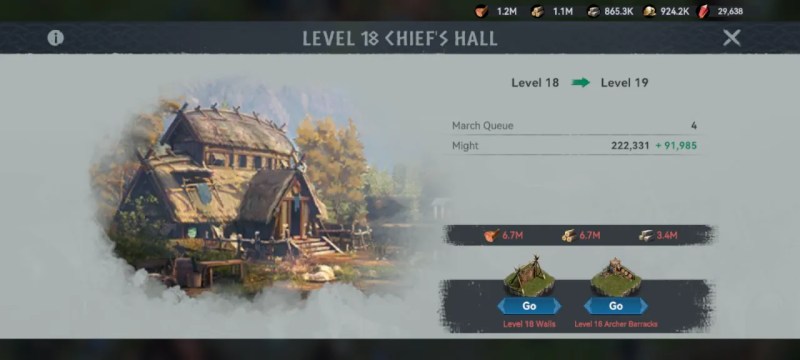
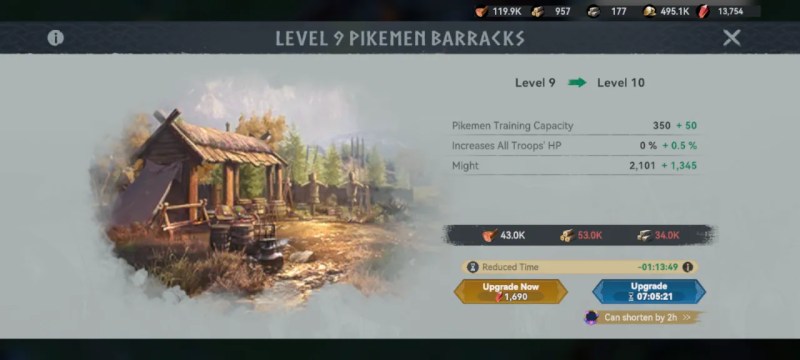
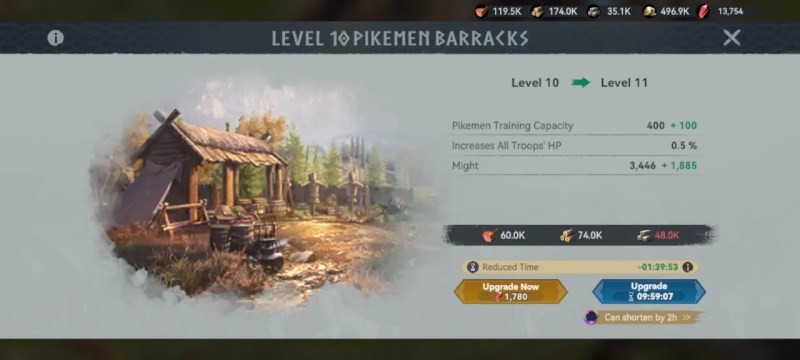
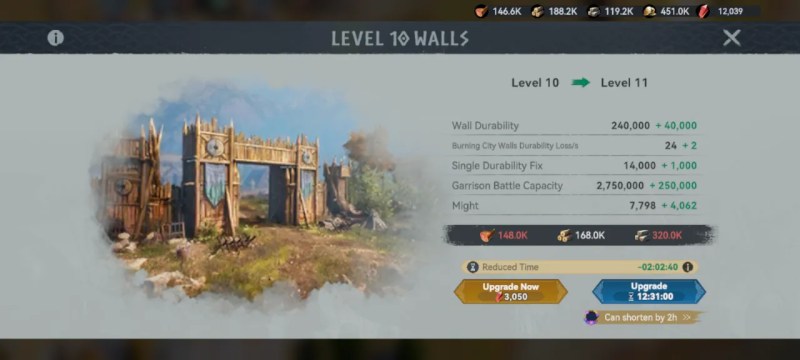
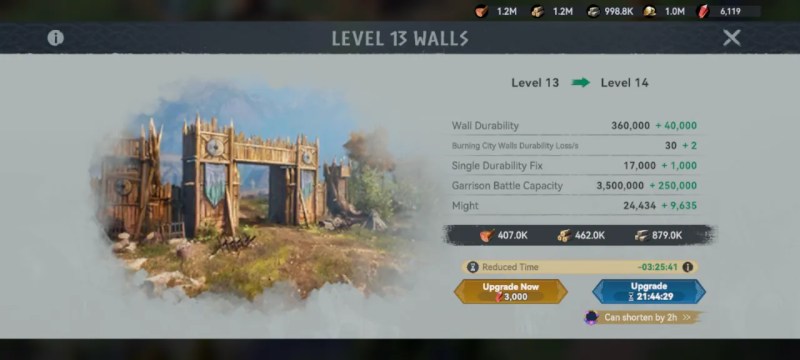
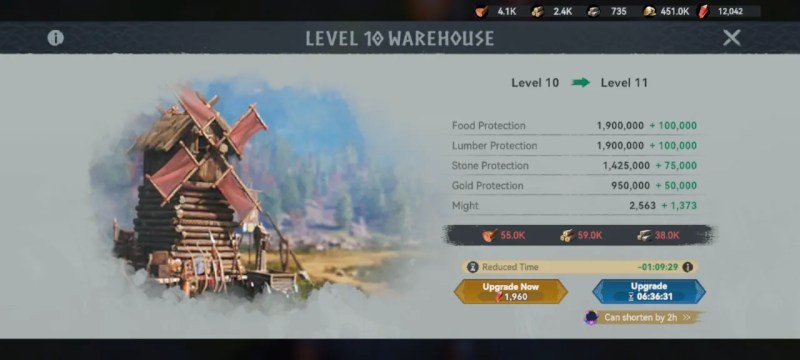
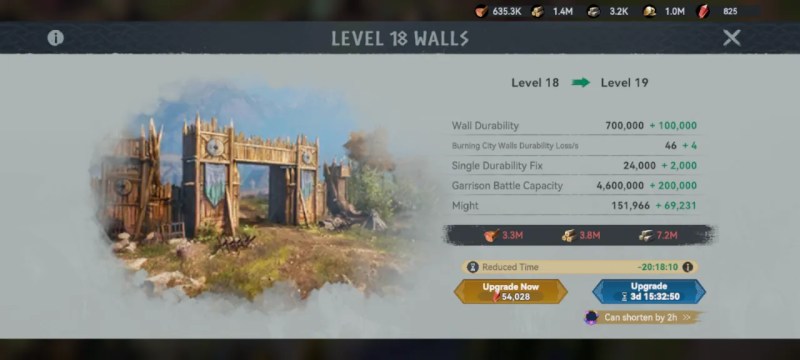
The first substantial timer for an upgrade comes at Chief Hall level 6, which is 2 hours and requires Walls and Warehouse to be at level 5 each.

Chief Hall Upgrade Path

In addition to the structures shown below, each Chief Hall upgrade require the Wall and adjacent facilities be upgraded.

  • CH 7: Walls 6, Eagle’s Nest lvl 6
  • CH 8: Walls 7, Infantry Barracks lvl 7
  • CH 9: Walls 8, Tribe Hall lvl 8
  • CH 10: Walls 9, Academy lvl 9
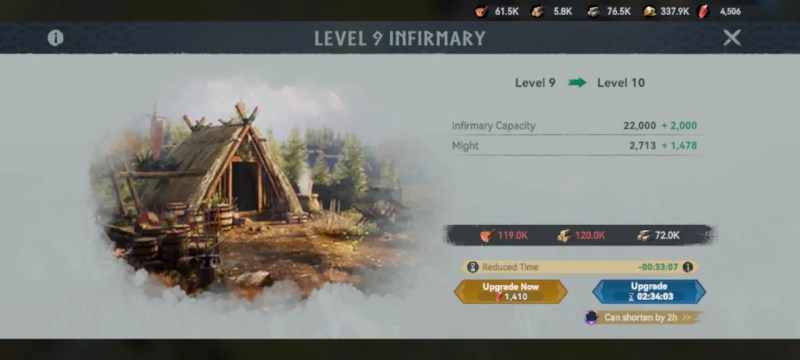
  • CH 11: Walls 10, Infirmary lvl 10
  • CH 12: Walls 11, Warehouse lvl 11
  • CH 13: Walls 12, Piker Barracks lvl 12
  • CH 14: Walls 13, Tribe Hall lvl 13
  • CH 15: Walls 14, Divination lvl 14
  • CH 16: Walls 15, Academy lvl 15
  • CH 17: Walls 16, Infirmary lvl 16
  • CH 18: Walls 17, Warehouse lvl 17
  • CH 19: Walls 18, Archer Barracks lvl 18
  • CH 20: Walls 19, Tribe Hall lvl 19
  • CH 21: Walls 20, Academy lvl 20, Hall of Valor lvl 20
  • CH 22: Walls 21, Infirmary lvl 21, Pikemen Barracks lvl 21
  • CH 23: Walls 22, Warehouse lvl 22
  • CH 24: Walls 23, Porter Barracks lvl 23
  • CH 25: Walls 24, Divination Shack lvl 24, Academy lvl 24
Resources for Chief Hall Upgrades
LevelFood
Wood
StoneDay:Hour:Min
6??00:02:00
772k37.2k00:04:46
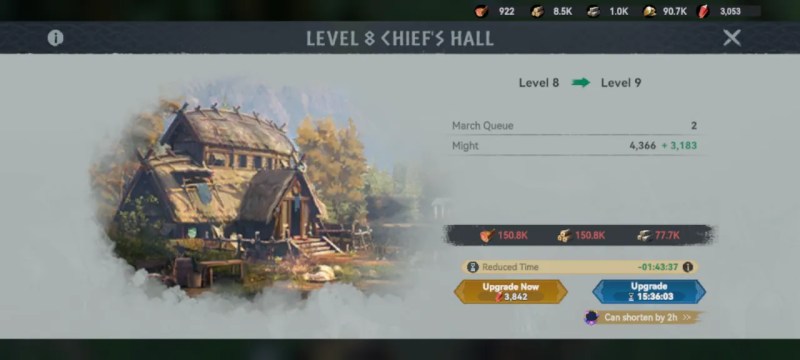
8108.3k55.8k00:08:37
9150.8k77.7k00:17:19
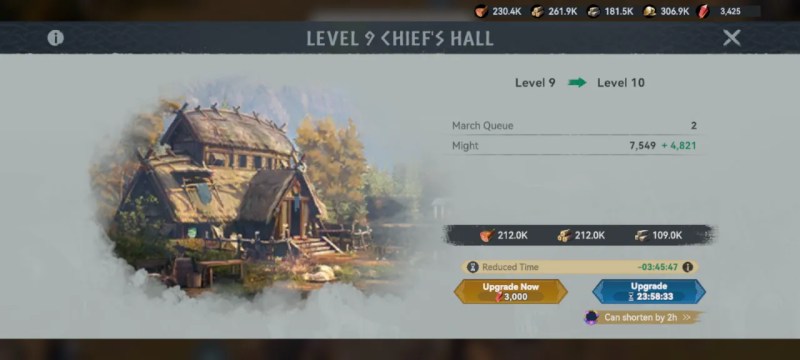
10212k109k01:03:45
11297k153k01:14:50
12416k214k01:22:36
13582k300k02:08:55
14815k420k02:19:07
151.1M589k03:11:13
161.5M820k06:22:26
173.1M1.6M07:07:43
184.6M2.3M09:23:29
196.7M3.4M11:23:36
209.7M5M14:09:06
2119.5M10M25:03:56
22
23???
24???
25???
  • March Queue +1 at level 11.
Pre Requisite Upgrades
LevelBuildingsFood
Wood
StoneTime
7Wall 6
Eagle Nest 6
24.4k
700 F, 500 W
52.6k
00:36
00:08
8Wall 7
Infantry 7
36.1k F, 40.9k W
77.8k
01:54
9Wall 8
Tribe Hall 8


05:53
10Wall 9
Academy 9


11Wall 10
Infirmary 10
Archer 10
106k F, 120k W
119k F, 120k W
229k
72k
10:28

Managing Heroes

It’s difficult to get fragments of the Gold heroes other than from purchases. Some of the events will provide a few fragments, but not enough to upgrade star ranks.

With the exception of Varka and Shiela, Gold heroes are combat focused. For this offer it is better, in my opinion, to focus on leveling up your Purple and Blue heroes.

Tip: The hero Leidolf gets many bonuses to PvE combat. His fragments can be obtained from events with some frequency in the early game. Mostly this involves participating in Rallies.

Check your inventory for Bronze and Iron Bells to rally Leidolf.

Talent Wheel

On the Talent page you can distribute points into the wheel for every level the character has gained.

Advancement on the wheel is gated by the Star ranking of the hero, with 6 stars being the highest rank attainable.

An option to Quick Upgrade a hero is available in the Talent page by tapping on the little stars between the wheel. Alternatively, you may unlock ranks one at a time.

RankFragments
2 Star95
3 Star200
4 Star380
5 Star570
6 Star900

Heroes with economic bonuses such as increased Lumber gathering speed are the ones we want to focus on leveling and ranking up.

Hero Leveling Guide

Aim for level 30 on each of the following heroes:

  • Purple: Snorri, Michaela, Lindy, and Erik.
  • Blue: Eugen, Sveinn, Ulf, and Waltham.

In the Talent Wheel, look for Food, Lumber, Stone, and Gold Gathering. Put 5 ranks into each of these. Also, Gold Reserve and Rapid Gathering are worth getting. We won’t need any of the combat talents for these heroes.

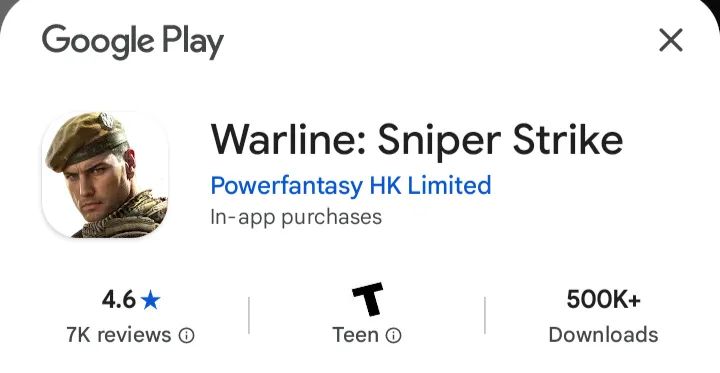
Warline: Sniper Strike (Critical Review)

All of the “real-time” sniper combat occurs in the opening trailer and tutorial period. It’s a gimmick used to bring in players who are jaded with the current crop of trashy 4X games.

Afterwards, the game is largely a standard 4X game with base building, resource collection, alliances, and world conquest. Most battles are handled automatically with little player input.

The game is available on Android and iOS and can also be played on PC via emulators like BlueStacks.

regional distribution division of Lilith Games

Specifications

  • Publisher: PowerFantasy HK Limited
  • Developer: Lilith Games
  • Type: 4X / Army / Strategy
  • Release Date: August 4th, 2025
  • Size: 476 MB
  • Download:  Google Play Store, Apple iOS, BlueStacks.

Marketing Art

Honest Review

Don’t bother with Warline, there are better ways to waste your money.

After a soft launch in August last year, the title has shown a renewed interest from YouTube game review channels, although the majority are only uploading the OP trailer and not providing any input or critique.

The game uses a generic unit upgrade path using Tiers (T1, T2, etc.) Unit art is nothing special.

Many game elements and characters will appear familiar to players of Warpath.

The gameplay style is largely borrowed from other titles in the Lilith Games family of brands.

I’d only suggest playing Warline if it were to become a Swagbucks/FreeCash offer. That is, I would only play Warline: Sniper Strike, if they paid me to play it.

Yes Your Highness wiki

Last Updated: June 6th, 2026

Meet various medieval characters and enjoy romantic experiences, guiding your heir’s future and planning marriages. Rule your lands in sandbox mode, enhance productivity through strategic supply chains, and explore alliances, engaging in diplomacy or conflict for territory growth.

The game is a variation of the Kings Throne / King’s Choice format of castle simulations.

Game Info

Useful Links

Tips

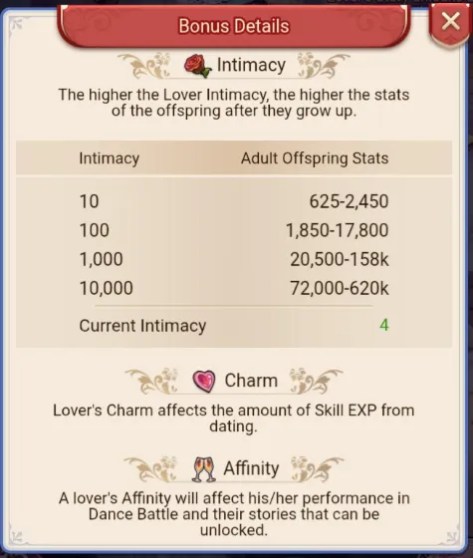
Don’t have kids right away: The rarity and stats of your kids depend entirely on how high your intimacy is with the parent. Use your gifts on one or two favorite lovers first. High-intimacy parents make high-tier kids, which means bigger stat boosts for you when they marry.

Look past the main quest: The tutorial quest at the bottom left of your screen is a bit blind. It completely skips over some functional buildings. Manually click your Build icon every now and then—if it has a red dot, you have a new building available that the game forgot to tell you to make.

Play the mini-games: The limited-time events are actually decent. They are usually totally separate puzzle or board games that give great rewards. It’s the best way to progress if you don’t want to spend real money.

Join an Alliance immediately: As soon as you build the Alliance hall, join a group. It opens up an extra shop, daily missions, and co-op bosses that give you a steady stream of extra materials.

Gift Codes

YYHGIFT111YYHGIFT

For iOS players, please use this website to claim your rewards. Due to iOS policy, iOS blocks APP codes. Sorry for the inconvenience caused to iOS players.

https://gevents.37games.com/globalexchange/index.html?gameId=310

Table of Contents
  1. Game Info
    1. Tips
    2. Gift Codes
    3. Structures
      1. Income Structures
      2. Housing
    4. Backyard
      1. Getting Lovers
      2. Dating
      3. Raising Kids
      4. Arranging Marriages
    5. Castle
      1. Level Cap
      2. Earning Gold
      3. Exclamation Marks
      4. Feeding Homeless
    6. Battles and Retainer Upgrades
      1. Fights
      2. Retainer Stats
      3. Upgrading Retainers
      4. Lover Benefits
    7. Characters
      1. Lovers
      2. Retainers
        1. Retainer/Lover Catalog
    8. Beginner Guides from Discord
      1. How to Start Over with a New Character in the Game
      2. Your Guide to the User Center
      3. Resolving Issues with Undelivered In-Game Purchases
      4. How to Redeem Gift Codes in the Game
      5. Account Binding Guide
      6. Contacting In-Game Customer Service

Structures

Name (Level)What it Does
Backyard (1)Contains Lovers, Offspring, and Marriage functions.
Prosperity +20.
Post HouseRandom visits to map locations for encounters. Small rewards and possible Lover meetings. 3 max, refills every 30 minutes.
Castleyour primary structure, limits level of other structures.
Council Chamber (5)free rewards if the exclamation mark is showing.
Asylumyou cook food for the homeless at this location.
Vagrant Shelterhomeless gather here to be fed. after fed they become members of your town.
College (7)The College can provide Aptitude EXP for Retainers.
Voyage SquadSimilar to Banquets, but you can unseat other players. The host and all players present gain points for as long as they hold their seat.
MonumentSalute Top Players for Diamond Rewards
Hall of Glory (6)We await the arrival of each of our high lords, and expect them to be crowned here by the divine grace befitting their position and be awarded with honorable titles and valuable rewards.
Prosperity +20.
Banquet Hall (10)Tempting food, fancy dances, and melodious music will be presented in the Banquet Hall. Prosperity +20.
Family Tree (8)A great family is like a towering tree: the fallen leaves serve as nourishment for new branches to grow. The head of the family carefully considers the path forward and chooses the direction for the family’s continued growth and prosperity.
Prosperity +20.
Alliance (8)Every ambitious leader who aspires to be revered will find themselves a powerful alliance. This is their way of survival, and it is also a famous dictum. Prosperity +20.
Arena (9)Pit your Retainers in battle against opposing players (PvP).

Income Structures

BuildingSpecialityBase Income
Farm
Smithy
TheaterCommerce
BathhouseCommerce
Grocery (4)CommerceProsperity +200.
Tavern (13)CommerceProsperity +200.
Fish Market (31)CommerceProsperity +200.
Logging Camp (16)Wisdom
Sawmill (19)Politics
Quarry (25)Wisdom
Stone Workshop (28)Politics

Housing

Residences provide shelter for the townspeople, all of whom deserve a warm fire and a soft bed.

Building (Level)Max ResidentsProsperity
Residence (16)80050

Backyard

The Backyard is where you handle your lovers, your kids, and your family alliances. Getting this loop right gives you a massive power boost.

Getting Lovers

You unlock new Lovers by hitting certain Kingdom Power milestones during the Tutorial.

Afterwards, new Lovers can be acquired by encountering them a sufficient number of times on the Post House map.

Certain special Events will include new Lovers and the VIP system includes several premium Lovers.

Dating

In the Lover Tower, you can pay resources to Summon a specific lover (best way to get a pregnancy) or do Random Dates for cheap intimacy points.

You can also give them flowers to increase their Intimacy which in turn will boost Offspring’s stats. Charm items will increase the total Aptitude EXP Lovers receive from Dating.

Raising Kids

Your kids hang out right below the tower. Tap the little up arrow to level them up. Every time they reach a growth milestone, you get to choose their specialization—just pick whatever matches their highest natural talent.

Arranging Marriages

Once they are adults, move them to the Marriage screen. You can post a proposal to the server or accept one from someone else. When your kid marries another player’s kid, you permanently inherit the other kid’s stats.

Castle

Your kingdom needs to generate cash (gold) to keep moving. Here is how to keep the economy flowing.

Level Cap

Your Town (the main hall) dictates everything. You can’t upgrade any other building past your current Town level. Once it hits Level 10, you can finally move your buildings around to organize your city.

Earning Gold

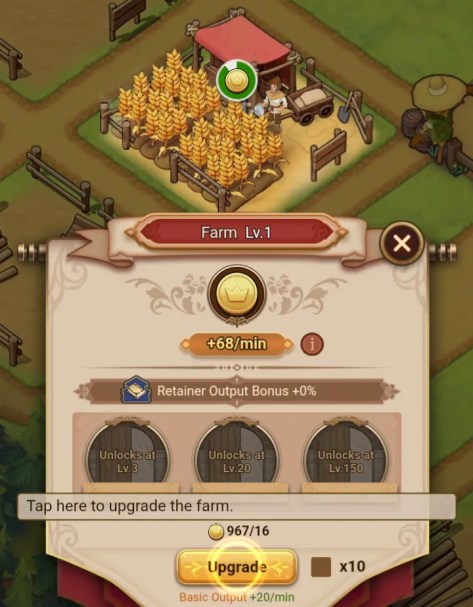
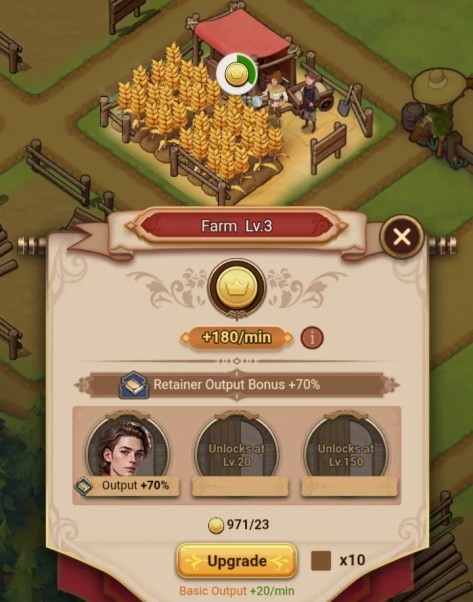
Buildings like the Farm and Smithy print money. Upgrade them 5 times, and you unlock a slot to assign a servant to them. You can eventually stack up to 3 servants per building to max out your gold income.

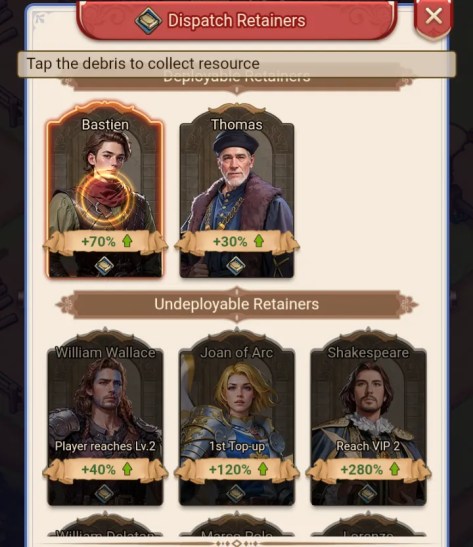
Match Retainer bonuses with corresponding businesses to gain greater rates of income.

  • a farm without a retainer
  • a list of retainers available to serve in a facility
  • a farm with a retainer slotted to gain a bonus

Exclamation Marks

Check in on real-time buildings like the Council Chamber and Backyard. If you see an exclamation mark floating over them, it means their cooldown reset and you have free rewards or actions waiting.

Feeding Homeless

Go to the Asylum outside your gates to cook broth. Use the broth to invite vagrants into your kingdom. They sit in the Vagrant Shelter until you build enough houses for them. Once you officially check them into a house, your passive gold production goes up permanently.

Battles and Retainer Upgrades

Fights

Honestly, combat is just a math check. If your military power is higher than the enemy’s and you have enough gold to fund the fight, you win. Just hit “Go” or use “Quick Battle” to breeze through them.

Retainer Stats

Retainers are your main commanders. They have four stats: Military (fighting), Politics (resource yields), Commerce (gold generation), and Wisdom (EXP/admin yields). You get more retainers by leveling up your main character profile or winning events.

Upgrading Retainers

Use your combat EXP to level them up. To upgrade their actual skills, build the College and send them there to study for a few hours.

Lover Benefits

chart of offspring bonuses from lover intimacy score. chart includes an overview of Charm item effect and Affinity function.

Every lover is linked to a specific retainer.

When you raise a lover’s intimacy and upgrade their skills, it directly boosts the stats of their paired Retainer (Bond).

Don’t ignore your lovers, or your fighters will stay weak.

Characters

Lovers

Lovers may be gifted Intimacy items like Roses to boost the strength of their offspring and Charm items like Sweets to increase the amount of EXP they earn from Dating.

Retainers

New Retainers become available as the player rises in level. Special and Limited Retainers may be earned from Events and by collecting fragments or exchange items.

Your total Retainer stats equal your Power level, and is a good indicator of your effectiveness in combat (PvP), while PvE is mostly governed by your Military stat.

Retainer/Lover Catalog

Beginner Guides from Discord

How to Start Over with a New Character in the Game

Hello highness,
Welcome to our beginner’s guide on how to start over in the game with a fresh character.

Currently, it’s important to note that our game does not support the deletion of characters once they have been created within a server. Likewise, the game’s limitations disallow the creation of multiple characters on a single server. If you’re looking to embark on a new adventure or simply want to re-experience the thrill of nurturing a new character from scratch, here are the steps you can follow to do so:

Step 1: Consider a New Account
If you’re committed to staying on the same server but want to start anew, the simplest solution is to create a new game account. By registering with a new email or log-in, you can begin the game afresh on your preferred server.

Step 2: Switch Servers
For those who wish to keep their current account but are willing to play on a different server, here’s what you can do:

  1. Go to the game’s main menu or the server selection screen.
  2. Select the new server to start the game.

We hope this guide helps you navigate your way to a fresh start in the game. Happy gaming!

If you have any additional questions or concerns regarding this matter, feel free to reach out to our in-game customer service for further consultation.

Your Guide to the User Center

Hello highness,
Welcome to our beginner’s guide on how to start over in the game with a fresh character.

Currently, it’s important to note that our game does not support the deletion of characters once they have been created within a server. Likewise, the game’s limitations disallow the creation of multiple characters on a single server. If you’re looking to embark on a new adventure or simply want to re-experience the thrill of nurturing a new character from scratch, here are the steps you can follow to do so:

Step 1: Consider a New Account
If you’re committed to staying on the same server but want to start anew, the simplest solution is to create a new game account. By registering with a new email or log-in, you can begin the game afresh on your preferred server.

Step 2: Switch Servers
For those who wish to keep their current account but are willing to play on a different server, here’s what you can do:

  1. Go to the game’s main menu or the server selection screen.
  2. Select the new server to start the game.

We hope this guide helps you navigate your way to a fresh start in the game. Happy gaming!

If you have any additional questions or concerns regarding this matter, feel free to reach out to our in-game customer service for further consultation.

Resolving Issues with Undelivered In-Game Purchases

Sometimes, due to the data transfer speeds between the store and the app, you may experience delays or issues with items not being credited to your account immediately after purchase.

After completing your purchase, Please wait for about 10 minutes due to a possible payment delay. If the item still doesn’t appear, contact in-game customer service.

For Google Play:

When contacting customer service, you only need to provide the GPA order number. (The GPA number can be found through Gmail. Format: GPA.1234-1234-1234-12345)

For App Store:

When making an inquiry with the in-game customer service, attach the receipt that displays the payment number.

How to Redeem Gift Codes in the Game

Hello highness,

Are you ready to unlock exciting rewards and exclusive items? Redeeming gift codes is a fantastic way to enhance your gaming experience. Follow this guide to learn how to redeem gift codes in the game, based on your device:

  1. Launch the game.
  2. Locate the User Center Icon: Find the User Center icon at the bottom of the game’s right-side icon bar.
  3. Locate the “Gift code exchange” icon and enter the gift code accurately in the designated field.
  4. After entering the code, click on the “Redeem” button to complete the process. Congratulations! Your rewards will be instantly added to your account.

For iOS players, please use this website to claim your rewards.
Due to iOS policy, iOS blocks APP codes. Sorry for the inconvenience caused to iOS players.
https://gevents.37games.com/globalexchange/index.html?loginAccount=MVFN:1010541739&plat=pc&gameId=310

Account Binding Guide

Hello highness,

We would like to emphasize the importance of account binding in our game to ensure the security of your game progress and data. Using a guest account poses risks such as potential loss of account information and difficulty in recovering it, especially when switching devices. Therefore, we highly recommend that all players bind their accounts to safeguard their gaming experience.

Currently, our game supports binding accounts through Twitter, Facebook, and Google. The process is straightforward and similar to the steps mentioned earlier for switching accounts. Here’s a simple guide to help you bind your game account:

  1. Locate the User Center Icon: Find the User Center icon at the bottom of the game’s right-side icon bar.
  2. Access the User Center: Click on the User Center icon to open the menu.
  3. Bind Your Account:
  • Within the User Center menu, look for the option labeled “Bind Account” and select it.
  • Follow the on-screen instructions to choose your preferred account binding method (Twitter, Facebook, or Google).
  • Click on the “Bind Account” button to complete the binding process as guided.

By binding your game account, you will enjoy several benefits, including enhanced account security, seamless account recovery, and the ability to continue playing even after switching devices. It provides peace of mind, knowing that your progress and achievements are protected.

We sincerely urge all players, especially those using guest accounts, to bind their accounts as soon as possible. Take a moment to secure your game progress by following the simple steps outlined above.

Thank you for your attention, and we appreciate your efforts in maintaining the safety of your game accounts. If you encounter any issues or need further assistance, please don’t hesitate to reach out to our in-game customer service.

Contacting In-Game Customer Service

Hello highness,

We understand that sometimes you may encounter issues or have questions while playing our game. Rest assured, our dedicated in-game customer service team is here to assist you. Here’s a step-by-step guide on how to contact our customer service within the game:

  1. Locate the User Center Icon: Find the User Center icon at the bottom of the game’s right-side icon bar.

2: Access the User Center: Click on the User Center icon to open the menu.

3: Click on the Feedback Button: Click on it, and you will be redirected to a new page.

4: Click on the New Ticket Button and Fill in Your Inquiry:
In the provided form or text box on the new page, you can write your question or problem that you would like to consult. Be as clear and specific as possible to help our customer service team understand your issue.

5: Submit Your Ticket

Once you have filled in your inquiry, review it for accuracy and completeness. Then, click on the “Submit” or “Send” button to submit your ticket to our customer service team.

6: Wait for a Response

Our customer service team will handle inquiries in the order they are received. Due to the high volume of inquiries, it may take some time for our team to respond. We kindly ask for your patience while awaiting a reply.

In addition, you can also try asking questions in the “Ask and Answer” channel under the “Chat” category on our Discord server.

However, please note that account-related and recharge-related issues should be addressed by our in-game customer service.

Thank you for your understanding and cooperation. We value your feedback and are committed to providing you with the best support possible. If you have any further questions or need additional assistance, please don’t hesitate to reach out to our in-game customer service.

Yarn Loop

Yarn Loop is a calming and visually satisfying puzzle game where colorful bobbins glide along a conveyor, collecting matching stitches to complete cozy knitted patterns.

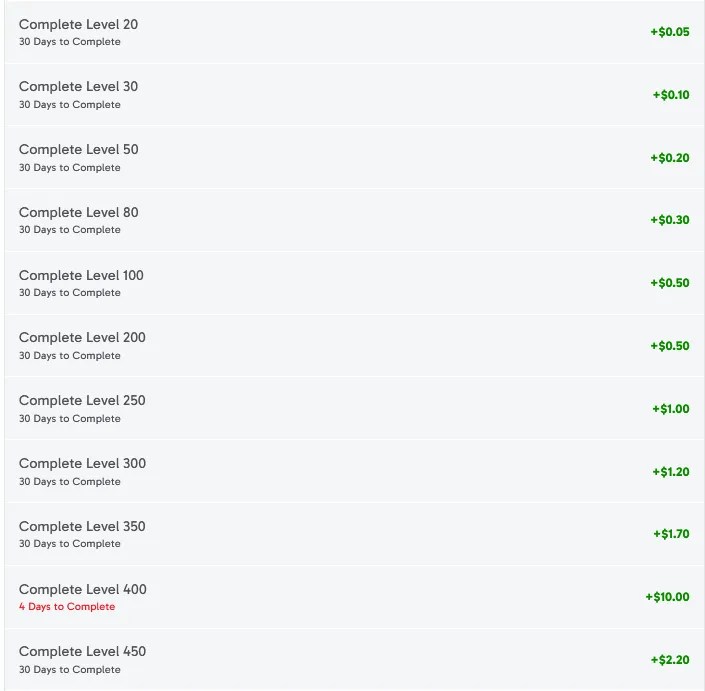
Manage each bobbin’s capacity wisely—use them fully to clear them, or save the remaining thread on the rack for your next strategic move. Reach the listed goals to earn!

Offer Link: https://www.swagbucks.com/games/apps/1672893/yarn-loop?rb=69384823

Offer Terms

  • Must be installing Yarn Loop for the first time to receive SB.
  • In-app purchases and upgrades are available.
  • Award will pend for 5 days.
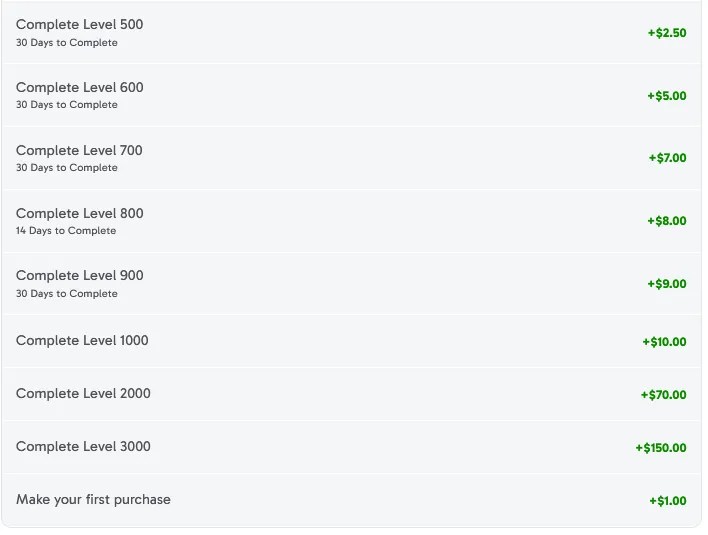
  • You must complete goals within 60 days of installing to receive Up to 28,025 SB.

The community has reported mixed results with completing this offer. The puzzles can be tricky for some folks.

Yarn Loop Tips

  • Do not open reward tabs (like the “duck event”) immediately. Save them until you actually run out of lives to maximize the “hours of free lives” granted by events.
  • If you make a mistake, it is often faster to restart the level immediately rather than trying to fix it, especially since level layouts (spool spawning) remain consistent upon restarting.
  • Be prepared for a time commitment; individual levels can take anywhere from 2 to 10 minutes to complete.
  • Remember that spools will always spawn in the same locations unless you use a power-up to mix up the board.
  • Check for new events every two days to earn free lives and avoid having to watch ads for extras.
  • The game only speeds up at the very end of a level once a win is officially guaranteed.

Idle Distiller Tycoon Game

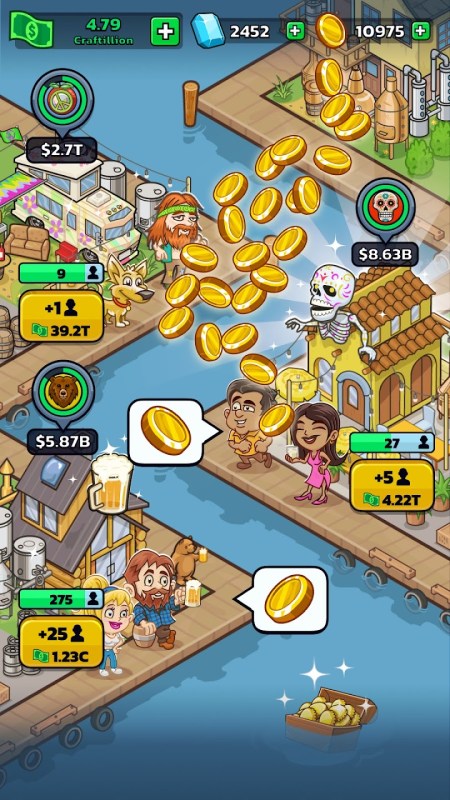
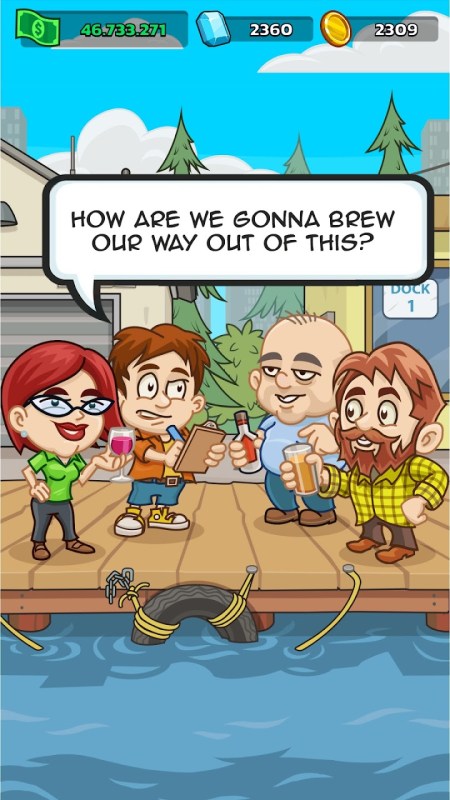
Welcome to Idle Distiller Tycoon, the world’s greatest idle tycoon game – it is a simulation game that mixes beer factory management and earning money to become a rich capitalist billionaire. Reach listed events to earn!

About

  • Must be installing Idle Distiller for the first time to receive SB.
  • In-app purchases and upgrades are available.
  • Award will pend for 10 days
  • You must complete goals within 30 days of installing to receive Up to 11,190 SB

Social Links

Specifications

  • Developer: Kano Games
  • Category: Tycoon / Idle Game
  • File Size: 177 MB
  • Released on: Jul 6, 2021

Swagbucks Link: https://www.swagbucks.com/games/apps/1672268/idle-distiller?rb=69384823 (Android)

Idle Distiller Guide

We’re given 30 days to clear the objectives.

For reference, I was only able to clear level 50 on Idle Monster Tycoon by purchasing two monthly passes and playing every day. That was on FreeCash and I had a full 45 days.

Update 4/11: Reached Season 15 on day 4. Have spent $2 for a small Diamond pack.

Spending

Here we only get 30 days, so I only expect to make it to level 40 for this offer. There are also the spending goals to consider.

The first purchase is reimbursed by only $1, and the Pass offers just $2 in reimbursed funds, but it costs $15. These are not good numbers for purchase reimbursements.

Strategy

These Tycoon games all follow the same format. You will have a single game screen with a number of shops active on the board generating cashflow. Shops must be actively tapped on to collect the generated cash.

Cash may be spent to hire additional staff for the shops, with milestones (50-100) either rewarding the player or completing a task.

Each level (Episode) has a set number of tasks that need to be completed before you can advance to the next stage. In addition to hiring staff at shops, you may also assign a manager to automate the cash collection.

As you advance through the game, the required level of the managers to use automatic cash collection increases. On some maps, certain shops will be omitted. You may max out a manager only to have them not take part in a particular map, slowing your progress.

In between stages, there will be a speed tapping function to receive a bonus for the next round.

I’ve found that using 3 fingers to “drum” the screen works well.

Alternatively, hover a finger over the screen and then using your other hand rapidly tap on the back of the finger. This will cause a bouncing effect that will allow you to tap faster.

Tasks

The game does not take previous task completions into account for future tasks. That is, you only get credit for currently active tasks.

So, it is important to consider whether completing a task may negatively impact your progress on a given stage.

For example, if you could possibly hire more staff at a shop, but you do not currently have a task to do so, then refrain from hiring more until a relevant task appears.

Sometimes, you do need to hire more staff to hit a milestone and increase cashflow to a higher ranking, just remember there are costs to all our actions.

Event Stages

During the course of regular gameplay there will be limited time (1-3 day) event maps with different themes. The rewards from these events maps will be key to clearing the main map for levels 25 and above.

Clearing Milestones will guarantee benefits back on the main game after the event ends. Ranking high on the Leaderboard on an event map will result in special rewards including Epic Boost Cards.

Consider saving and only spending Diamonds on the event maps to secure the highest score possible.

Though, keep in mind that regular players will also be competing for a high ranking, and as with any game there will be whales (big spenders).

Newer Businesses will quickly outperform older ones, so open the next Business as soon as you are able! Each time you jump ahead, focus heavily on your newest Business.

Tips
  • There is no benefit to increasing shop staff beyond the MAX limit.
  • You don’t need to swipe to open crates, tapping the screen works fine.
  • Watch Ads to double your cashflow and gain cash bonuses.
  • Advertisements will often include local businesses, may also contain marketing materials for nicotine or controlled substances.
  • Tap the Pelican to watch an ad and receive cash.
  • Purchasing Card in the shop will count towards task completions.
  • I recorded free Coins appearing every 6 minutes on the event map and Trades every 20 minutes. This did not seem to happen on the main map
  • Be mindful of the Trades you are offered, some may take away precious cards for upgrades. Its okay to decline a trade if you don’t have any active quests to complete Trades.
Gallery

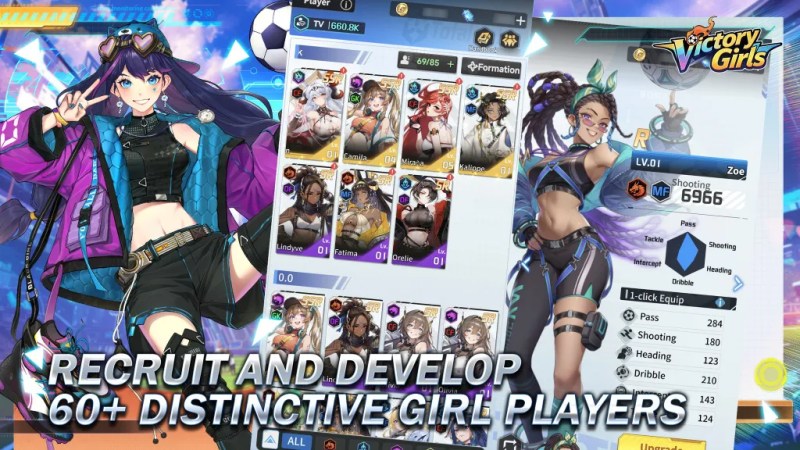
Victory Girls: Anime Soccer Wiki

Victory Girls: Anime Soccer is a new anime-style soccer manager RPG for Android and PC, released in March 2026.

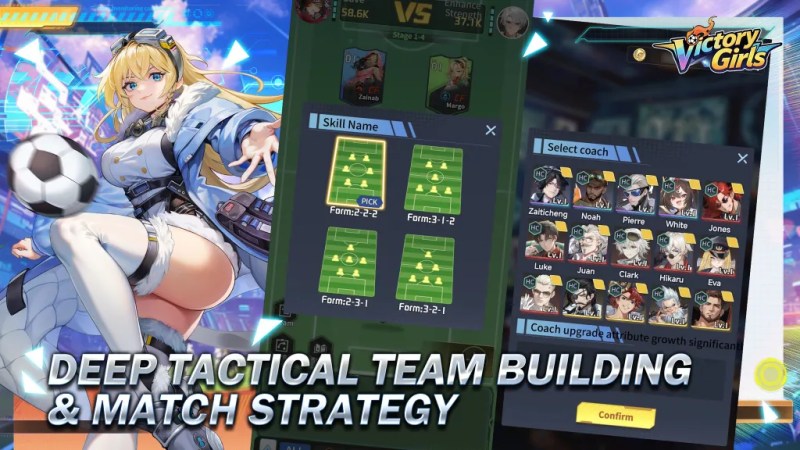
Type: Sport Theme, 6×6 Auto-Battle, Idle Game.

The game combines tactical match strategy with deep team management, character growth, and card-based RPG elements.

Players build and manage an anime football club, focusing on tactical formations, player skills, and club development to compete against other teams.

Updates / Notices
March 27, 2026: Compensation Notice

[Server Compensation]

Dear Manager, Server performance is restored. Please claim your compensation via in-game mail.

Items:

  • Advanced Scout Ticket x30
  • Player Exp. x500000
  • Diamond x2500
  • Orange Player Shard x60

Eligibility:

S1&S2 characters created before Mar 26, 16:00 (UTC-4).

Claim Deadline: Mar 27, 23:59.

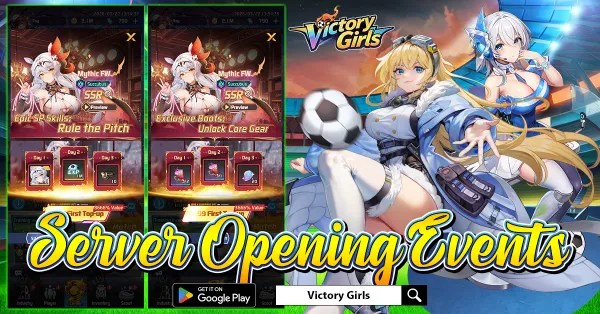
March 26, 2026: First Top Off Event

Kick off your journey with the First Top Up event and unlock powerful rewards right from the start! 

For just $0.99, recruit the SSR Mythic player Succubus, a standout star ready to elevate your squad. Step up to $3.99 to claim her exclusive equipment, boosting her performance and making her even more dominant on the field.

Go all the way with $13.99 to obtain an additional Succubus and upgrade her to Red Quality, unlocking her full potential.
Don’t miss this limited launch opportunity — power up your dream team and take control of the pitch from day one!

March 27, 2026: 1k Draws Event

Get ready for the 1000 Draws event in Victory Girls! 

Every day you log in, you’ll receive 10 Player Recruitment Tickets, giving you the chance to collect up to 1,000 tickets over the event period.

Use these tickets to summon new girl players and strengthen your dream squad with powerful heroes.

From SSR stars to unique talents, every draw brings excitement and new strategies for your team.
Don’t miss this opportunity — log in daily, gather your tickets, and recruit the ultimate lineup!

March 26, 2026: Kickoff Thank You

The kickoff for Victory Girls on Google Play has been incredible!

The overwhelming enthusiasm and massive number of managers joining the field have exceeded our expectations. Because of this surge in players, some users may experience temporary login difficulties.

We truly appreciate your amazing support and patience — your passion is what makes this journey so exciting! 

To thank everyone, once the service is fully stabilized, we will send compensation rewards to all players:

  • Advanced Scout Ticket ×10
  • Player Exp. ×200K
  • Diamond ×1000
  •  Orange Player Shard ×60

Thank you again for the incredible love and support. Stay tuned, and we’ll see you back on the pitch very soon!
Eligibility:
– Server: S1 only.
– Requirement: Characters created before March 26, 2026, 10:00 (UTC-4).

Claim Instructions:
1. Rewards are valid until March 26, 23:59.
2. If you encounter any issues, please contact us via the in-game Support menu.

March 26, 2026: Official Launch

It’s kickoff time! 

 Victory Girls is now officially live on Google Play! Step onto the field, build your dream squad, and lead your anime soccer stars to glory. Android players can download the game right now and log in to claim your exclusive launch rewards. 

The PC and iOS versions are coming later, and our development team is working hard to bring them to you as soon as possible—stay tuned!

 Download now and start your journey to victory

 Log in today to secure your launch bonuses

 Invite your friends and build the ultimate team

March 25, 2026: Deep Tactical Team Building and Match Strategy

[Deep Tactical Team Building & Match Strategy]
Not just a casual soccer game — craft balanced formations, counter your opponent’s setup, and adapt tactics like fast breaks or solid defense to secure victory.

March 25, 2026: Pre-Registration Last Call

1 Day to Go
Just 1 day left! The whistle is about to blow, and Victory Girls is ready to hit the pitch. Tomorrow, you’ll step into the role of manager, recruit talented heroines, and lead your team toward victory. The excitement is building, and we can’t wait to see your strategies in action. 

This is your final chance to secure launch rewards!

 Pre-register now and make sure you’re ready to jump in the moment the game launches. Your dream soccer squad awaits!

March 24, 2026: Recruit and Develop

[Recruit and Develop 60+ Distinctive Girl Players]
Build your dream squad by recruiting over 60+ unique girl players, each with personalized skills, attributes, and growth paths. Experiment with lineups to unlock powerful team synergies.

Table of Contents
  1. Navigation
    1. Main Screen Etymology
      1. Feature Preview
    2. Industry
    3. Scout
      1. Advanced Scout
      2. Faction Scout (Unlocks at 3-8)
      3. Super Scout (Unlocks at 3-40)
    4. Players
      1. Player Skills
      2. Player Ascension
    5. Matches
      1. Coaching Overview
        1. Head Coach
        2. Assistant Coaches
      2. Tactical Counter Relationship
    6. Events
    7. Inventory
      1. Item Lists
        1. Resources
        2. Star-up Material
        3. Coach Items
        4. Skill Books
        5. Guild Shop
      2. Gear
        1. Gear List
      3. Shard
      4. Chest
        1. Collection Shards
          1. Gold Tier Collections
          2. Purple Tier Collections
          3. Blue Tier Collections
          4. Green Tier Collections
    8. Shops and Spending
    9. Leaderboard

Main Screen Etymology

The primary screen is called Career and includes the main functions. Access to sales, shops, events, and the Matches (story campaign), can be found on the Career panel.

  1. User Name
  2. Resource Bar: Gold and Diamonds
  3. Navigation Panel: Industry, Player, Career, Inventory, and Scouting.
  4. Events
  5. Shops
  6. Matches
  7. Daily Quests
  8. Missions
a chart with words and arrows pointing to places on a picture
victory girls user panel etymology
the user Avatar can be swapped for any coach or player you have unlocked.

An AFK Rewards system generates resources and other items, including player XP while offline for up to 12 hours.

Each day, two free 2 hour instant claims may be taken.

Feature Preview

Different game functions unlock at Chapter stages as you progress through the game, for example, the Friends List opens after Chapter 2-18.

The following open up after the Tutorial has been completed.

Chapter 2
FunctionChapter
Card Exchange (Transfer Market)2-1
Card Reset (Transfer Market)2-5
Commercial Street2-8
Arena (Training Pitch)2-12
Friends List2-18
Penalties2-20
Chapter 3
FunctionChapter
Guild3-2
Leisure Area3-5
Gold Ball (Training Pitch)3-30
Superstar Scout (Scouting HQ)3-40
Chapter 4
FunctionChapter
Staff (All Industries)4-2
HQ4-2
Points Match4-8 (Day 3)
Player Resonance4-10
Sponsorship4-20
Crazy Football4-40
Chapter 5
FunctionChapter
FB Tech (Coach Center)5-5
Matrix 3v35-10 (Day 4)
Vehicle (Bus or Yacht)5-16
Coach Bond5-20

Industry

Scout

This functionality includes recruiting new players to join your roster. Your main team is made up of 7 players including two defenders, forwards, midfielders, and one goalkeeper.

A sub unit of players on the bench are gained through Scouting. These duplicates can be used to upgrade your primary team.

Advanced Scout

An SSR is guaranteed every 20 attempts.

  1. One free scout is available every 24 hours.
  2. An SR player is guaranteed in every 10-scout attempts.
  3. Reach scout milestones to earn progress rewards.
  4. Earn a special reward every 100 scouts.

Faction Scout (Unlocks at 3-8)

Super Scout (Unlocks at 3-40)

Players

Players are graded by Tier with 7 possible levels of rarity. The ranks are Normal, Rare, SSR, PR, UR, HR.

Victory Girls Player List – Google Sheets

Player Skills

Skills can be swapped or upgraded using new skills you receive from Skill Pack (Basic) and higher grades. Initially, your player may only learn a single skill. Applying a new skill will overwrite the currently slotted skill.

To set two or three skills on a player, you need to use either a Purple or Red Memory card.

The Skill Memory can be exchanged for in the Golden Ball Shop (Training Pitch), or received from Chests. There is a Weekly limit of 5 each from the Golden ball Shop.

MemoryPrice
B. Skill Memory (Purple)60k
A. Skill Memory (Red)150k

Player Ascension

To Ascend a player, you will need a copy of that player and one or more fodder players of the same color or Faction.

For example, here Priyanka has been upgraded to Orange+1 by spending a an extra Priyanka card.

The next upgrade from Orange+1 to Red will cost 2 additional copies of Priyanka and any two other Orange Cards from any Faction or Grade.

Some upgrades require Cards from the same Faction.

In the next example, we have Lindiwe at Purple+1 being upgraded to Orange. This upgrade requires any two players from her Faction (AS/AFR).

Now, Lindiwe can possibly be used as upgrade fodder for Priyanka’s next stage. In this way we can save our SSR Players and instead use the SR Players as upgrade materials.

Matches

a chart with words and arrows pointing to places on a picture
victory girls matches panel etymology

Matches are played automatically, but users may still manually trigger special abilities. An option to skip the battle visual is available in the lower-right of screen.

Chapter Matches:

  • Chapter 1: 40
  • Chapter 2: 40
  • Chapter’s 3 to 12: 60 each
  • Chapter 13: 100

Coaching Overview

Head Coach

Select a Coach to govern the match. This will improve stats via the coaches bonuses. In the example below, Alex SSR, is providing +231 to Forwards, Defenders, Midfielders, and Goalkeepers.

Assistant Coaches

Once you have upgraded the Coaching Center on the Industry screen, you may begin using Assistant Coaches.

There are a total of 5 positions on the Assistant Coaching Panel including: Defense, Offense, Fitness, Assistant, and Goalkeeper Coaches.

Each Support Coach has a set position they are intended for which you can see by looking at their icon: DC, OC, FC, AC, or GK.

These Assistant Coaches will provide Attribute bonuses to your Players in addition to those bonuses already provided by the Head Coach.

These Coaches also use the same Classification system, for rarity, as the Head Coach (Local, City, Regional, etc.).

Assistant coaches may be leveled up, have their skills upgraded, and use the Star-up function to improve their stats overall. Duplicate copies of the Coach will be needed to effect a Star-up upgrade. Coaching XP Items may be spent to increase levels.

Duplicate copies may be acquired from Chests, events, or through recruitment in the Coaching Center on the Industry screen.

Tactical Counter Relationship

This gets into the deeper stat advantages of Team makeup. It also takes into account your active Head Coach and their specialty.

This is then compared to the opposing team and shows the differences in your match up. Strategies interact based on tactical setups:

Control > Total FB > Counter > Long Ball > Control.

Events

Daily Sign-In: rewards can be claimed every day and if you spent at least a dollar, during the day, you can claim the login prize a second time.

This function will reset once the month ends.

Since the game was released on March 25th, 2026, all players had a 1-week, first month.

7-Days Login: includes an SSR Priyanka on day two. This reward can be doubled for $1.99.

The Day-7 reward is a special Gear item for Succubus. Two upgrades of this Gear are possible if you purchase the Doubled rewards.

1k Draws: During the first 100 days of gameplay, 10 free Scout tickets are provided for a total of 1,000 draws.

Daily Quests can be completed each day, by earning points from actions.

Rewards are earned at 20p, 40p, 60p, 80p, and 100 points.

Additionally, a weekly quest provides more rewards.

Some tasks are incompletable until stages 2, 3, and 4 have been unlocked.

Inventory

The Backpack allows you to view all your items and gear.

Gear can be cleared instantly using Quick Dismantle.

Enable Auto-Dismantle to process gear automatically upon acquisition.

Item Lists

Resources

Acquired from: Main Stage, Challenge Match, AFK Training, Chests, and Events. Comes in Different sizes including 2h, 4h, 8h, and 24h.

ItemEffect
GoldUsed in conjunction with XP to upgrade Players.
DiamondsPremium currency used to purchase items in shops and unlock functions.
XPUsed in conjunction with Gold to upgrade Players.
Vitamin WaterLiquid Energy Core refined by tech. Used for Player Promotion.

Resource Chests can provide the above items with the exception of Diamonds.

Gold is perhaps the most used resource in the game. Several functions use Gold and it will be depleted quickly. Consider carefully how you spend it.

Star-up Material
MemoryEffect
AS/AFR PurpleSubstitutes Purple AS/AFR Faction materials during Player Training
EUR PurpleSubstitutes Purple EUR Faction materials during Player Training
AMR PurpleSubstitutes Purple AMR Faction materials during Player Training
Coach Items

These can mostly be acquired from the following avenues: Guild Shop, Penalties, 7-Day Gala, AFK Training, or Crazy Football

ItemEffect
Basic TacticsDeep-seated pitch instinct. Used for Assistant Coach upgrades; grants 300 XP.
Advanced TacticsTactical grammar woven from grit. Used for Assistant Coach upgrades; grants 1k XP.
Elite TacticsA club housing space-time paradoxes. Used for Assistant Coach upgrades; grants 5k XP.
Rookie GuideA growth contract forged in pain. Used for Head Coach upgrades; grants 300 XP.
Core GuideA liquid forge used to temper the spirit. Used for Head Coach upgrades; grants 1k XP.
Master GuideA gravity lens capturing the rise and fall of civilizations. Used for Head Coach upgrades; grants 5k XP.
B. Skill BookTraining Reflex Guide: Used to upgrade Coach Skill 1.
E. Skill BookOverload Mastery Guide: Used to upgrade Coach Skill 2.
Skill Books

There are 3 grades of Skill Books: Green, Purple, and Red. Initially, players may only learn a single skill. If you use a Purple Skill Memory item, this will allow you to open the next slot. The3rd slot is opened with a Red Skill Memory item.

Book TypeEffect
Inspire 1Successful save slightly boosts teammates’ All Attributes based on own Save stat.
Long Ball 1Slightly boosts Forwards’ Shooting at kick-off.
Basic SaveSlightly increases Save Success Rate when facing a shot.
Basic Tap-inSlightly increases Shooting after every missed shot. Lasts until the match ends.
B. InterceptSuccessful interception slightly boosts team Passing Success Rate and Speed until the round ends.
Basic PassingSlightly boost own Passing when receiving. After passing, slightly boosts the receiver’s All Attributes.
B. Pace ChgChance to slightly increase Speed when receiving the ball.
Red Devil 1Gains 1 stack periodically during the match. Each stack slightly increases Shooting.
Solo Break 1Chance to boost Dribbling while in possession. Successfully dribbling past an opponent slightly boosts speed until the round ends.
PhysicalityChance to slightly reduce opponent’s All Attributes during a duel.
Man MarkingSlightly enhances Defense when entering defensive state.
Dribbling SpecSlightly boosts Dribbling when receiving the ball.
Aerial TacticsSlightly boosts Shooting stats when heading. Lasts until the end of the round.
PlaymakerSlightly boosts all players’ Passing during short or long passes in an attack. Lasts until the attack ends.
B. DisruptDisrupts opponent shots, slightly reducing their success rate.
B. Form. 5Slightly boosts Goalkeeping during lineup adjustments.
B. Form. 3Slightly enhances Interception during lineup adjustments.
B. Form. 2Slightly improves Passing accuracy during lineup adjustments.
B. Form. 1Slightly increases Shot Power during lineup adjustments.
B. Cover DefSlightly enhances Cover Defense for a short duration.
Basic ControlSlightly boosts Passing and Control for a short duration.
B. Crisis Sav.Slightly increases scoring chance for a short duration.
Guild Shop

The shop includes Gear, Coaching Chests, Skill Books, Tech Research Speedups, Building Permits, Hourglasses (Reduce Building Time), and Club Gold Cards (Coach Promotion).

Several items include Weekly purchase limits, including M. Skill Book, Coaches, and the Premium Coach Box.

ItemCostLimit
Coach2k10
Premium Coach Box24k3
Head Coach XP Chest300
Assistant Coach XP Chest150
B. Skill Book1,200
E. Skill Book1,200
M. Skill Book6k6
Tech Speed-up200
Club Gold Card6k
Expand Permit6k
Hourglass 1200
Hourglass 23k
Hourglass 310k

Gear

Gear is divided into sets for each position: GK, FW, DF, and MF. Gear has tiers or rarity, the same as Players.

Gear is generally restricted to the position it is listed for. So, for example some very nice Goalkeeper boots cannot be used with your favorite Forward player.

Special Gear can be equipped to any position. It has a rainbow appearance and provides bonuses for Factions.

Player Gear includes 4 pieces including: Boots, Shorts, Shin Guards, and a Jersey.

Gear List

Editable Community Google Sheet

Google Sheets spreadsheet for player gear in the mobile game victory girls anime soccer.

Shard

ItemEffect
Purple Player FragmentsCollect 60 Purple Player Shards to scout a random Purple Player.
Collection ShardsFragments
Blue Player FragmentsCollect 60 Blue Player Shards to scout a random Blue Player.

Chest

These items may be acquired through: New Players, Check-in, Total Buy, VIP, Challenge Matches, or Goals.

NameContains
Diamond GiftOpen to get 188, 288, or 588 Diamonds. Small chance for 1688 Diamonds!
CCH Skill SelectorSelect 1: Basic Skill Book or Elite Skill Book (Coach Items)
Collection ChestOpen to get a random amount of Collection Shards.
Adv. XP Chest*Open to get random Player, Coach, or Staff XP.
Resource Selector (Intermediate)Select 1: 4h Gold, 4h Player XP, or Vitamin Water x4
Basic XP ChestOpen to get random Player or Coach XP.
Pure Memory SelectorSelect 1: AS/AFR, EUR, or AMR Memory.
Resource Selector (Basic)Select 1: 2h Gold, 2h Player XP, or Vitamin Water x2.
Gear Box (Blue)Open to get a random piece of Blue Player Gear
Skill Pack (Basic)Open to get a random Basic Player Skill Books

*Advanced XP Chest Contents:

  • 24h Player XP
  • Elite Tactics
  • Master Guide
  • Staff XP
  • 8h Player XP
  • Adv. Tactics
  • Core Guide
  • Basic Tactics
  • Rookie Guide
Collection Shards

Acquired through: Total Buy, VIP, Challenge Matches, Goals, and Collection Chests.

Gold Tier Collections
Trophy Stand2018 Global Cup TicketFootball KeychainGlobal Cup Lanyard
Searchlight HatSupply CrateStamp AlbumTech Cap
Championship TrophyBlue WarriorSpanish TangoGlove
Purple Tier Collections
No. 16 HoodiePlayer StandeeFederation WristbandButton Hat
Two-Tone CapStar ScarfEvent LanyardFootball Scarf
FootballPrairie EaglesTangoPoster
Blue Tier Collections
Golden Football CupGolden Cup MugGK GlovesTech Wide-Brim Hat
Football BadgeCommemorative Coin SetMini StadiumSigned Card
Trophy KeychainThe BluesChileTicket
Green Tier Collections
Headset CapGlobal Cup SweaterFootball SocksTrophy Art Print
Football BackpackStar Pattern TieSigned WristbandTrophy Brooch
Tech Patrol CapGoggled BeanieFederation PendantHeadset Helmet
Silver Football CupGlobal Cup AlbumFootball PoloIron Chariot
Classic Star BallBadge

Shops and Spending

Several purchase options are available including special limited packs for the grand opening of the game.

Leaderboard

Rewards may be claimed after users successfully clear game milestones and reach the highest ranks.