Last Updated: June 6th, 2026
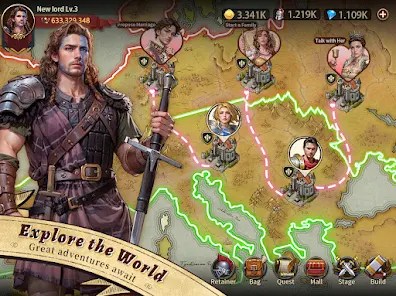
Meet various medieval characters and enjoy romantic experiences, guiding your heir’s future and planning marriages. Rule your lands in sandbox mode, enhance productivity through strategic supply chains, and explore alliances, engaging in diplomacy or conflict for territory growth.
The game is a variation of the Kings Throne / King’s Choice format of castle simulations.
Game Info
Useful Links
- Homepage: https://www.37games.com/official_website/index.html?name=yyhofficial&store=1&srtl=3284.0.0.0#/
- Discord: https://discord.com/invite/yb2F9ZmWaz?cid=official&scid=homebtn&srtl=3284.0.0.0&op_scid=DXPFsMDrnogKp2UpMv7A7&customFrom=global-website
Tips
Don’t have kids right away: The rarity and stats of your kids depend entirely on how high your intimacy is with the parent. Use your gifts on one or two favorite lovers first. High-intimacy parents make high-tier kids, which means bigger stat boosts for you when they marry.
Look past the main quest: The tutorial quest at the bottom left of your screen is a bit blind. It completely skips over some functional buildings. Manually click your Build icon every now and then—if it has a red dot, you have a new building available that the game forgot to tell you to make.
Play the mini-games: The limited-time events are actually decent. They are usually totally separate puzzle or board games that give great rewards. It’s the best way to progress if you don’t want to spend real money.
Join an Alliance immediately: As soon as you build the Alliance hall, join a group. It opens up an extra shop, daily missions, and co-op bosses that give you a steady stream of extra materials.
Gift Codes
| YYHGIFT111 | YYHGIFT |
For iOS players, please use this website to claim your rewards. Due to iOS policy, iOS blocks APP codes. Sorry for the inconvenience caused to iOS players.
https://gevents.37games.com/globalexchange/index.html?gameId=310
Table of Contents
Structures
| Name (Level) | What it Does |
|---|---|
| Backyard (1) | Contains Lovers, Offspring, and Marriage functions. Prosperity +20. |
| Post House | Random visits to map locations for encounters. Small rewards and possible Lover meetings. 3 max, refills every 30 minutes. |
| Castle | your primary structure, limits level of other structures. |
| Council Chamber (5) | free rewards if the exclamation mark is showing. |
| Asylum | you cook food for the homeless at this location. |
| Vagrant Shelter | homeless gather here to be fed. after fed they become members of your town. |
| College (7) | The College can provide Aptitude EXP for Retainers. |
| Voyage Squad | Similar to Banquets, but you can unseat other players. The host and all players present gain points for as long as they hold their seat. |
| Monument | Salute Top Players for Diamond Rewards |
| Hall of Glory (6) | We await the arrival of each of our high lords, and expect them to be crowned here by the divine grace befitting their position and be awarded with honorable titles and valuable rewards. Prosperity +20. |
| Banquet Hall (10) | Tempting food, fancy dances, and melodious music will be presented in the Banquet Hall. Prosperity +20. |
| Family Tree (8) | A great family is like a towering tree: the fallen leaves serve as nourishment for new branches to grow. The head of the family carefully considers the path forward and chooses the direction for the family’s continued growth and prosperity. Prosperity +20. |
| Alliance (8) | Every ambitious leader who aspires to be revered will find themselves a powerful alliance. This is their way of survival, and it is also a famous dictum. Prosperity +20. |
| Arena (9) | Pit your Retainers in battle against opposing players (PvP). |
Income Structures
| Building | Speciality | Base Income |
|---|---|---|
| Farm | ||
| Smithy | ||
| Theater | Commerce | |
| Bathhouse | Commerce | |
| Grocery (4) | Commerce | Prosperity +200. |
| Tavern (13) | Commerce | Prosperity +200. |
| Fish Market (31) | Commerce | Prosperity +200. |
| Logging Camp (16) | Wisdom | |
| Sawmill (19) | Politics | |
| Quarry (25) | Wisdom | |
| Stone Workshop (28) | Politics |
Housing
Residences provide shelter for the townspeople, all of whom deserve a warm fire and a soft bed.
| Building (Level) | Max Residents | Prosperity |
|---|---|---|
| Residence (16) | 800 | 50 |
Backyard
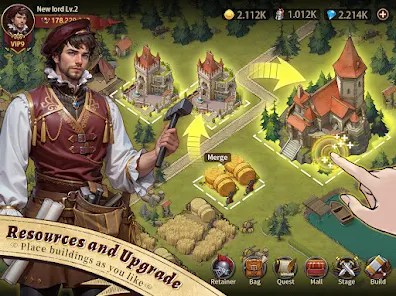
The Backyard is where you handle your lovers, your kids, and your family alliances. Getting this loop right gives you a massive power boost.
Getting Lovers
You unlock new Lovers by hitting certain Kingdom Power milestones during the Tutorial.
Afterwards, new Lovers can be acquired by encountering them a sufficient number of times on the Post House map.
Certain special Events will include new Lovers and the VIP system includes several premium Lovers.
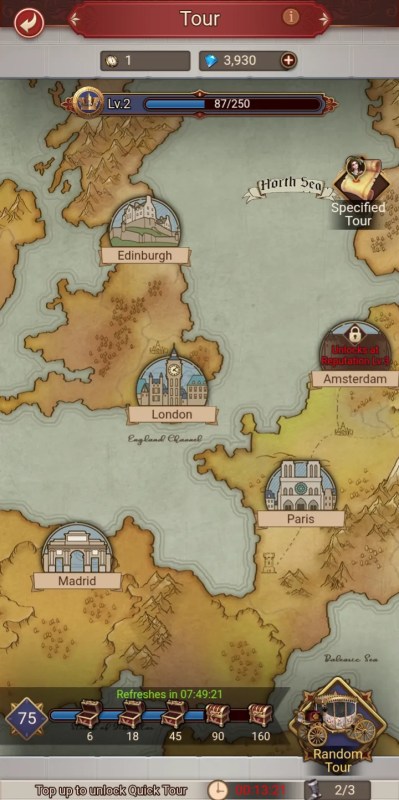
Dating
In the Lover Tower, you can pay resources to Summon a specific lover (best way to get a pregnancy) or do Random Dates for cheap intimacy points.
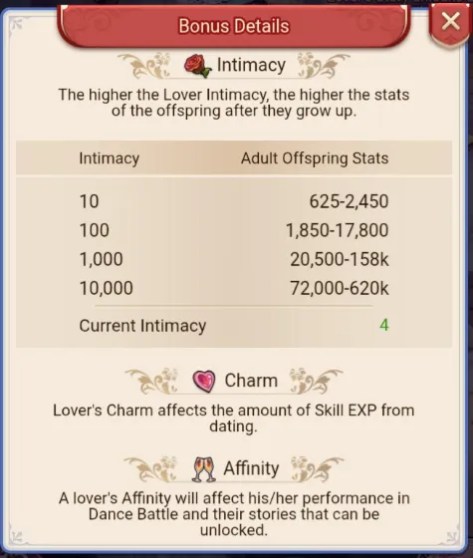
You can also give them flowers to increase their Intimacy which in turn will boost Offspring’s stats. Charm items will increase the total Aptitude EXP Lovers receive from Dating.
Raising Kids
Your kids hang out right below the tower. Tap the little up arrow to level them up. Every time they reach a growth milestone, you get to choose their specialization—just pick whatever matches their highest natural talent.
Arranging Marriages
Once they are adults, move them to the Marriage screen. You can post a proposal to the server or accept one from someone else. When your kid marries another player’s kid, you permanently inherit the other kid’s stats.
Castle
Your kingdom needs to generate cash (gold) to keep moving. Here is how to keep the economy flowing.
Level Cap
Your Town (the main hall) dictates everything. You can’t upgrade any other building past your current Town level. Once it hits Level 10, you can finally move your buildings around to organize your city.
Earning Gold
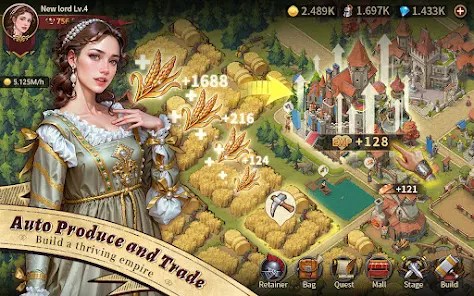
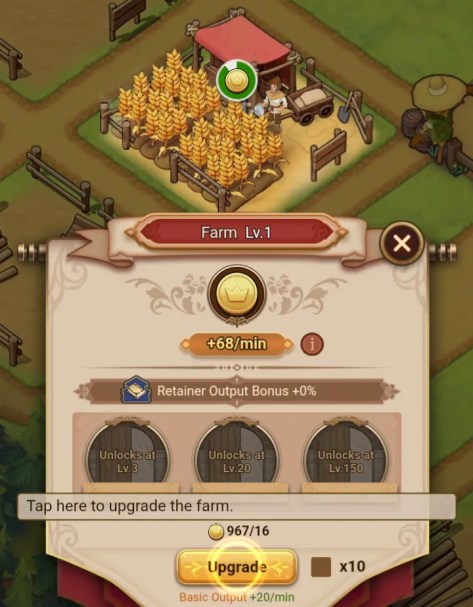
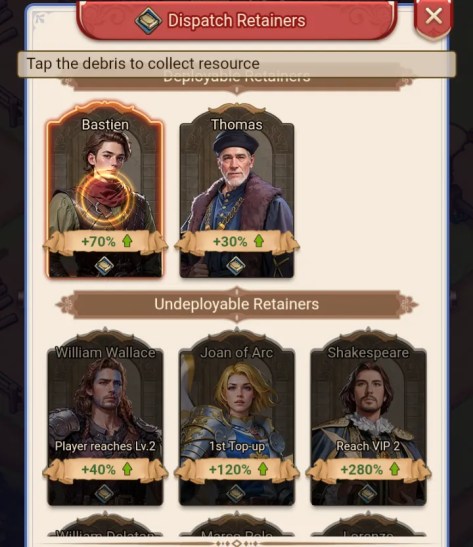
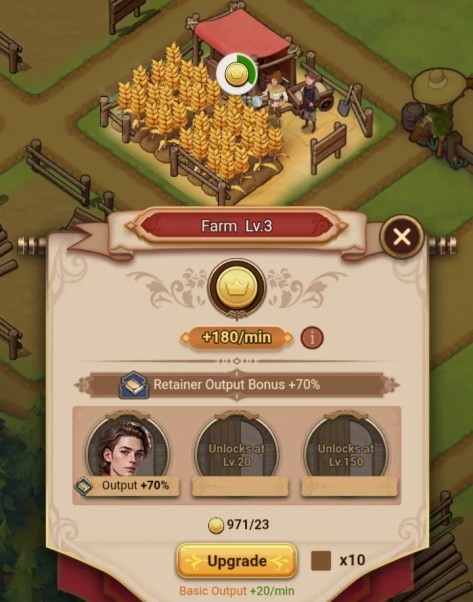
Buildings like the Farm and Smithy print money. Upgrade them 5 times, and you unlock a slot to assign a servant to them. You can eventually stack up to 3 servants per building to max out your gold income.
Match Retainer bonuses with corresponding businesses to gain greater rates of income.
Exclamation Marks
Check in on real-time buildings like the Council Chamber and Backyard. If you see an exclamation mark floating over them, it means their cooldown reset and you have free rewards or actions waiting.
Feeding Homeless
Go to the Asylum outside your gates to cook broth. Use the broth to invite vagrants into your kingdom. They sit in the Vagrant Shelter until you build enough houses for them. Once you officially check them into a house, your passive gold production goes up permanently.
Battles and Retainer Upgrades
Fights
Honestly, combat is just a math check. If your military power is higher than the enemy’s and you have enough gold to fund the fight, you win. Just hit “Go” or use “Quick Battle” to breeze through them.
Retainer Stats
Retainers are your main commanders. They have four stats: Military (fighting), Politics (resource yields), Commerce (gold generation), and Wisdom (EXP/admin yields). You get more retainers by leveling up your main character profile or winning events.
Upgrading Retainers
Use your combat EXP to level them up. To upgrade their actual skills, build the College and send them there to study for a few hours.
Lover Benefits
Characters
Lovers
Lovers may be gifted Intimacy items like Roses to boost the strength of their offspring and Charm items like Sweets to increase the amount of EXP they earn from Dating.
Retainers
New Retainers become available as the player rises in level. Special and Limited Retainers may be earned from Events and by collecting fragments or exchange items.
Your total Retainer stats equal your Power level, and is a good indicator of your effectiveness in combat (PvP), while PvE is mostly governed by your Military stat.
Retainer/Lover Catalog
Beginner Guides from Discord
How to Start Over with a New Character in the Game
Hello highness,
Welcome to our beginner’s guide on how to start over in the game with a fresh character.
Currently, it’s important to note that our game does not support the deletion of characters once they have been created within a server. Likewise, the game’s limitations disallow the creation of multiple characters on a single server. If you’re looking to embark on a new adventure or simply want to re-experience the thrill of nurturing a new character from scratch, here are the steps you can follow to do so:
Step 1: Consider a New Account
If you’re committed to staying on the same server but want to start anew, the simplest solution is to create a new game account. By registering with a new email or log-in, you can begin the game afresh on your preferred server.
Step 2: Switch Servers
For those who wish to keep their current account but are willing to play on a different server, here’s what you can do:
- Go to the game’s main menu or the server selection screen.
- Select the new server to start the game.
We hope this guide helps you navigate your way to a fresh start in the game. Happy gaming!
If you have any additional questions or concerns regarding this matter, feel free to reach out to our in-game customer service for further consultation.
Your Guide to the User Center
Hello highness,
Welcome to our beginner’s guide on how to start over in the game with a fresh character.
Currently, it’s important to note that our game does not support the deletion of characters once they have been created within a server. Likewise, the game’s limitations disallow the creation of multiple characters on a single server. If you’re looking to embark on a new adventure or simply want to re-experience the thrill of nurturing a new character from scratch, here are the steps you can follow to do so:
Step 1: Consider a New Account
If you’re committed to staying on the same server but want to start anew, the simplest solution is to create a new game account. By registering with a new email or log-in, you can begin the game afresh on your preferred server.
Step 2: Switch Servers
For those who wish to keep their current account but are willing to play on a different server, here’s what you can do:
- Go to the game’s main menu or the server selection screen.
- Select the new server to start the game.
We hope this guide helps you navigate your way to a fresh start in the game. Happy gaming!
If you have any additional questions or concerns regarding this matter, feel free to reach out to our in-game customer service for further consultation.
Resolving Issues with Undelivered In-Game Purchases
Sometimes, due to the data transfer speeds between the store and the app, you may experience delays or issues with items not being credited to your account immediately after purchase.
After completing your purchase, Please wait for about 10 minutes due to a possible payment delay. If the item still doesn’t appear, contact in-game customer service.
For Google Play:
When contacting customer service, you only need to provide the GPA order number. (The GPA number can be found through Gmail. Format: GPA.1234-1234-1234-12345)
For App Store:
When making an inquiry with the in-game customer service, attach the receipt that displays the payment number.
How to Redeem Gift Codes in the Game
Hello highness,
Are you ready to unlock exciting rewards and exclusive items? Redeeming gift codes is a fantastic way to enhance your gaming experience. Follow this guide to learn how to redeem gift codes in the game, based on your device:
- Launch the game.
- Locate the User Center Icon: Find the User Center icon at the bottom of the game’s right-side icon bar.
- Locate the “Gift code exchange” icon and enter the gift code accurately in the designated field.
- After entering the code, click on the “Redeem” button to complete the process. Congratulations! Your rewards will be instantly added to your account.
For iOS players, please use this website to claim your rewards.
Due to iOS policy, iOS blocks APP codes. Sorry for the inconvenience caused to iOS players.
https://gevents.37games.com/globalexchange/index.html?loginAccount=MVFN:1010541739&plat=pc&gameId=310
Account Binding Guide
Hello highness,
We would like to emphasize the importance of account binding in our game to ensure the security of your game progress and data. Using a guest account poses risks such as potential loss of account information and difficulty in recovering it, especially when switching devices. Therefore, we highly recommend that all players bind their accounts to safeguard their gaming experience.
Currently, our game supports binding accounts through Twitter, Facebook, and Google. The process is straightforward and similar to the steps mentioned earlier for switching accounts. Here’s a simple guide to help you bind your game account:
- Locate the User Center Icon: Find the User Center icon at the bottom of the game’s right-side icon bar.
- Access the User Center: Click on the User Center icon to open the menu.
- Bind Your Account:
- Within the User Center menu, look for the option labeled “Bind Account” and select it.
- Follow the on-screen instructions to choose your preferred account binding method (Twitter, Facebook, or Google).
- Click on the “Bind Account” button to complete the binding process as guided.
By binding your game account, you will enjoy several benefits, including enhanced account security, seamless account recovery, and the ability to continue playing even after switching devices. It provides peace of mind, knowing that your progress and achievements are protected.
We sincerely urge all players, especially those using guest accounts, to bind their accounts as soon as possible. Take a moment to secure your game progress by following the simple steps outlined above.
Thank you for your attention, and we appreciate your efforts in maintaining the safety of your game accounts. If you encounter any issues or need further assistance, please don’t hesitate to reach out to our in-game customer service.
Contacting In-Game Customer Service
Hello highness,
We understand that sometimes you may encounter issues or have questions while playing our game. Rest assured, our dedicated in-game customer service team is here to assist you. Here’s a step-by-step guide on how to contact our customer service within the game:
- Locate the User Center Icon: Find the User Center icon at the bottom of the game’s right-side icon bar.
2: Access the User Center: Click on the User Center icon to open the menu.
3: Click on the Feedback Button: Click on it, and you will be redirected to a new page.
4: Click on the New Ticket Button and Fill in Your Inquiry:
In the provided form or text box on the new page, you can write your question or problem that you would like to consult. Be as clear and specific as possible to help our customer service team understand your issue.
5: Submit Your Ticket
Once you have filled in your inquiry, review it for accuracy and completeness. Then, click on the “Submit” or “Send” button to submit your ticket to our customer service team.
6: Wait for a Response
Our customer service team will handle inquiries in the order they are received. Due to the high volume of inquiries, it may take some time for our team to respond. We kindly ask for your patience while awaiting a reply.
In addition, you can also try asking questions in the “Ask and Answer” channel under the “Chat” category on our Discord server.
However, please note that account-related and recharge-related issues should be addressed by our in-game customer service.
Thank you for your understanding and cooperation. We value your feedback and are committed to providing you with the best support possible. If you have any further questions or need additional assistance, please don’t hesitate to reach out to our in-game customer service.









 FatWallet Refugee