
Are you looking to dominate the leaderboards in CheerGirls GO!? This mobile strategy simulation—built on the same high-performance framework as Apex Girl—combines city micromanagement with intense cross-server PvP battles.
Whether you’re a Free-to-Play (F2P) strategist or a VIP climber, our CheerGirls GO! Wiki is the ultimate resource for optimized squad builds, resource management, and the latest gift rewards.
Similarities to Apex Girl
Players of Top Girl will be very much at home with CheerGirls GO since they use the same base elements and only differ in game art and vocals. The music videos found in CheerGirls use improved visual programming as compared to Top Girl.
Typically, a developer will create a model and then sell licenses or packages of game assets or framework allowing for any number of titles to be released using the same format but differing art and styles by publishers.
If a particular format is popular you will see many doppelganger titles pop up. A good example is the Harem and Partner format seen in Game of Khans, King’s Choice, and Kings Throne, or Game of Sultans.
Navigation
Welcome to the ultimate CheerGirls GO! Wiki and strategy guide, where we cover everything from Redeem Codes to Squad building.
Gameplay
🏆 Pro-Tip for 2026 Progression
Unlike its predecessors, CheerGirls GO! focuses heavily on Squad Resonance. To maximize your Influence, do not spread your EXP across every character. Focus on a single “Core Faction” like the Pulse Tribe (for high PvE damage) or Stellar Ripple (for Arena defense).
Note on Performance: The game’s advanced AI-generated character art can cause lag on older devices. To ensure smooth gameplay during Paris cross-server battles, we recommend lowering the “GFX Intensity” in the system settings menu.
Gameplay includes micromanagement of a city scape, resource collection, PvE and PvP battles on a server map, cross-server leaderboard challenges, and cross-server battles on separate servers (Paris).
Updates to the game have replaced some female characters with male male equivalents, however, the replaced characters are no longer accessible, though you can still see their icons in some portions of the game.
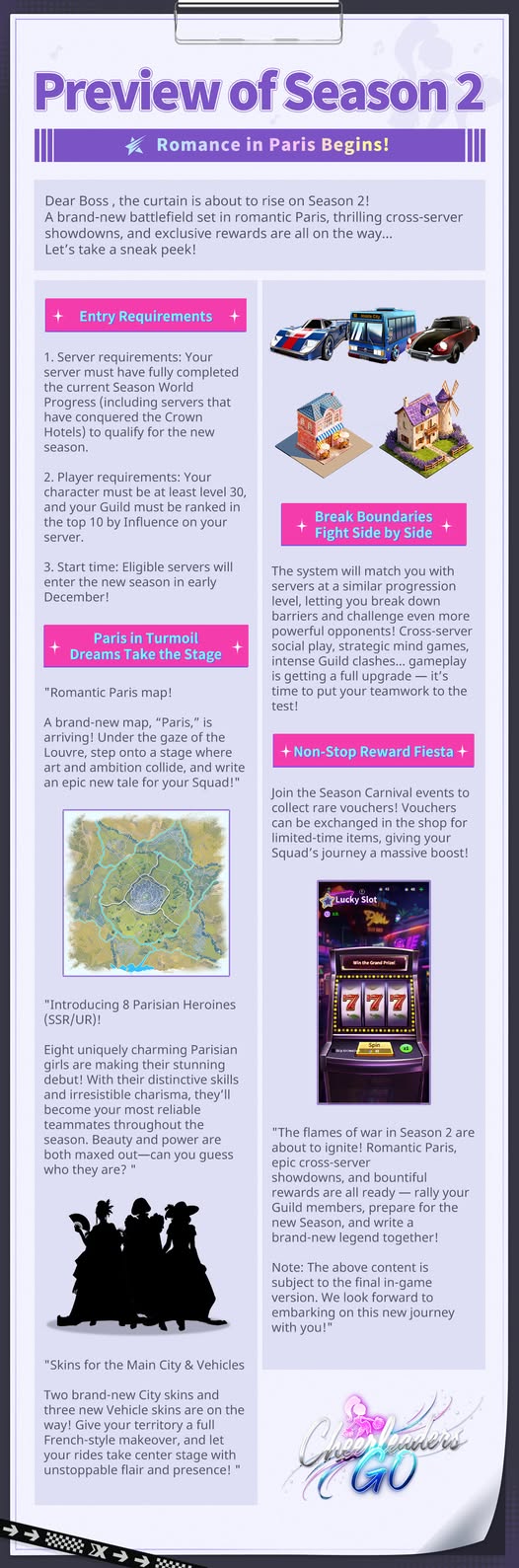
Season 2
Hello Bosses! Season 2 is almost here, and we’re heading to romantic Paris!
A brand-new Paris map, 8 new gorgeous Girls, plus fresh city and vehicle skins are coming to the game. Get your Squad and Guild ready for the new season!
Tap the picture below to learn more about what’s coming!
Game Screens Overview
Player Profile and Settings
The players menu includes an avatar visible only to the user and a profile image visible to other players in world, server, and group chat, on Player ID images, and in private messaging.
Several free profile images are available with limited selections for gender and no options for non-white ethnicities. Users may spend real money to purchase a custom profile image that they can upload.
The users game ID is present in the player menu panel. This ID is used in social media events on Facebook to reward players for participation or wining contests. There is a function to redeem codes from the publisher for presents in the player menu panel.
In the settings panel you can find Sound and Music controls and Notification preferences. Game support and your Google hash code are also in the settings panel.
Player Level
Increasing your level will increase the number of Staff your District businesses can hire. It will increase the level of your Shows for albums which will in turn improve your Influence earned with each album recorded.
Redeem Codes
Last Verified Active Codes: February 15, 2026.
https://game.edu.kg/en/cheergirls-go/codes/
Instructions from GameEDU
Redeeming your Cheergirls Go codes is quick and easy. Just follow these simple steps to claim your rewards:
- Open Cheergirls Go game on your iOS/Android device.
- Tap on your avatar located in the top-left corner of the screen, and then tap on it again to open your profile.
- Navigate to the ‘Redeem Code’ section in the settings menu.
- Enter or paste Cheergirls Go codes into the text box provided.
- Press Enter to submit your Cheergirls Go codes.
- Once successfully redeemed, enjoy your rewards!
District & Management Overview
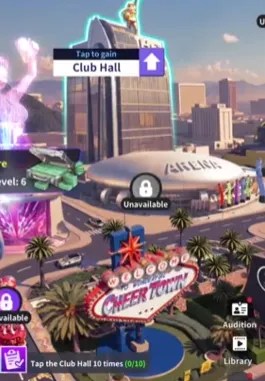
Adding a manager will significantly boost the Cash generated by the business. Businesses may be upgraded using Cash and this will provide better cash flow and allow more managers to be assigned.
The maximum number of Staff that can be hired is dependent on your player level. While the most number of cars you can send is dependent upon the Club Hall level.
The Club Hall can be tapped to generate a small amount of Cash, but this is more of a gimmick and does not provide sufficient funds for advancement.
The Club Hall is upgraded using Management Manuals which can be received as rewards for Daily Tasks or by exchange in Shops.
Girls

This is a catalog of all characters you have available and previews of locked characters.
The stats and intimacy functions for each girl including a biography can eb found in Details.
Users may adjust the outfits displayed by the characters using the selector.
Using the Audition function, new girls can be recruited. Free summon is available with a cooldown timer between uses. Every 60 recruitments guarantees an SSR girl.
Squad & Character Mechanics
SR and higher characters are members of different Squads that can benefit from bonuses when each member is a particular level and has skills unlocked.
| Pulse Tribe | SSR Fiona, SSR Linlin, SR Oliver, SR Nina, SR Ruby |
| Breezy Bees | SSR Giselle, SR Lydia, SSR Blynn, SR Leah, SR Lulu. |
| Stellar Ripple | SSR Stacy (VIP 1), SSR Serene, SR Kara, SR Candy, SR Grace. |
Best Squad in CheerGirls GO
- Pulse Tribe (Best for Early Game PvE)
- Stellar Ripple (High VIP Recommendation)
Assets
These are items you can equip to a character to provide a bonus to their stats, increased Influence, and Fan Capacity.
There are three categories of Asset: Accessory, Pet, and Car.
These can be purchased with Diamonds, exchanged in shops, or received as rewards from clearing Academy stages, competing in weekly Events, or cross-server challenges.
Studio

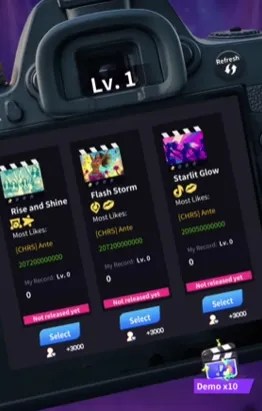
Currently unlocked music albums are found in the Studio. You may also record new albums in this menu.
Users may view their past performance in each title and upgrade songs to improve scoring.
You may also view the Squad members other users used to achieve high scores.
New albums may be added using the Get Now button.
The dance video may be skipped at player level 20. Otherwise you have to wait 8 seconds to skip.
Tour
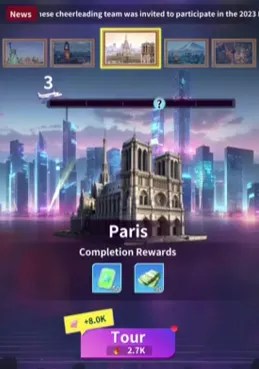
The Tour function is your primary source of EXP and Advancement items.
Progress in the tour is achieved by spending Cash.
After 10 locations, a challenge stage will precede advancement to the next block of locations.
Some stages will include a dialog box and questions. Either choice will reward 150 Diamonds.
Facilities located in the District function are unlocked by advancing the Tour.
Resources
Common resources include Fans, Influence, Cash, and EXP.
Cash is earned by Touring, completing Cheer Gigs, and collecting from Banks on the world map.
Influence is generated by the total adjusted values of your girls power level. Equipment added to characters will augment the total scoring. Upgrading the District and occupying Landmarks will improve Influence.
EXP can be accrued by passing stages in the Tour function or by exchanging Diamonds in the Shops or by spending real money on packs.
Fans are gathered by completing Cheer Gigs and Media Promo through album sales.
Tutorial Progression
During the tutorial users will receive five characters to start learning the functions.
The tutorial includes nine girls that can be added to your Squad by completing tasks. Some have been replaced with guys.

Clearing a goal will unlock a new outfit for each character. At the final stage for each character, they will be unlocked and available for use in your Squad (Team).

Characters are ranked by grades Rare (R), Super Rare (SR), Special Super Rare (SSR), and Ultra Rare (UR).
New girls can be recruited in the panel, with every 60 summons guaranteeing an SSR recruitment.
Server Time
Server reset time is 07:00 pm EST or 04:00 pm PST. For Europe and Asia, 12:00 am UTC (midnight).
Daily Tasks
Clearing all daily goals will earn players 3 presents containing:
| 100x Diamonds and 50x Tier-Up Cards (SR) |
| 100x Diamonds, Advanced DV, Microphone, 50x Engineering Blueprints, and 50x Inspiration Points |
| 1x Advanced DV, 1x Invitation Card, 100x Diamonds, 1x Polaroid, 10x Management Manuals, and 1x Guild Gift (Common) |
VIP Ranks
Logging in to the game each day will earn a small amount of VIP points. Making purchases is the easier way to improve your VIP level. The VIP Shop will have more items available for purchase as you improve your VIP level.
Diamonds may be spent in the VIP Shop to get discounted items to speed up your gameplay. Special packs can be bought after reaching new VIP levels.
Stacy (VIP: 1-9) and Korra (VIP: 10-14) are only available and upgradeable through VIP purchases. VIP Level’s 15-18 allow the purchase of the following Assets:
| Dreamy Float | Influence: +8M Member Charm: +2,000 Fan Capacity: +3,000 |
| Camping RV | Influence: +8M Member Technique: +6,250 Fan Capacity: +3,000 |
| Luxury Yacht | Influence: +8M Member Physicality: +2,000 Fan Capacity: +3,000 |
A free daily pack at VIP 1 includes 1x Neon Light (Starlight Ballroom), 8k Member EXP, and 800 Cash.
 FatWallet Refugee